
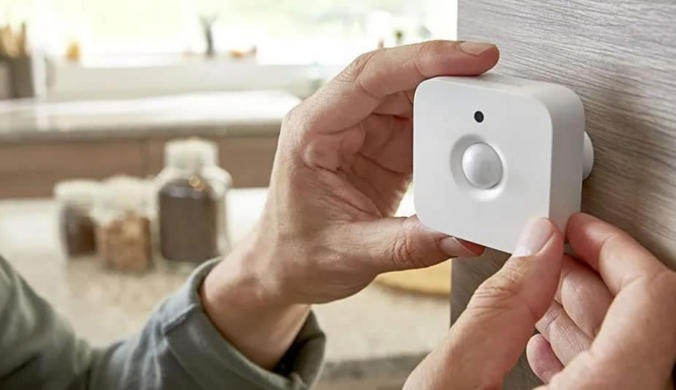

Managing energy costs and ensuring guest comfort are top priorities for short-term rental hosts. As more property owners turn to smart thermostat sensors for Airbnb units, the benefits are clear: improved efficiency, reduced utility bills, and a better guest experience. These intelligent devices help automate temperature control, detect occupancy, and optimize heating and cooling based on real-time data. In this guide, you’ll learn how to choose and use the right sensors to make your rental more sustainable and cost-effective.
Integrating smart thermostat sensors into your Airbnb property not only streamlines operations but also supports eco-friendly hosting. By leveraging automation and remote monitoring, hosts can maintain ideal indoor conditions without constant manual adjustments. This technology is especially valuable for those managing multiple units or scaling up their rental business. For those interested in broader automation solutions, exploring scalable rental sensor systems can further enhance property management efficiency.
Why Use Smart Thermostat Sensors in Short-Term Rentals?
Short-term rental properties face unique challenges when it comes to energy management. Guests may leave heating or cooling running while they’re out, or set the thermostat to extreme temperatures. Smart thermostat sensors address these issues by:
- Detecting occupancy: Sensors can tell when guests are present and adjust the temperature accordingly, preventing waste.
- Remote control: Hosts can monitor and change settings from anywhere, ensuring the property is comfortable before check-in and energy-efficient after check-out.
- Automated schedules: Set routines based on booking calendars or typical guest behavior to optimize energy use.
- Data insights: Track usage patterns and identify opportunities for further savings.
These features not only help reduce costs but also support sustainability goals, which can be a selling point for eco-conscious travelers.
Key Features to Look for in Smart Thermostat Sensors for Airbnb
When selecting smart thermostat sensors for your rental, consider the following essential features:
- Compatibility: Ensure the sensor works with your existing thermostat and HVAC system.
- Occupancy and motion detection: Look for sensors that accurately detect when guests are in the room.
- Remote access: Choose devices that allow you to monitor and adjust settings from your smartphone or computer.
- Integration with other smart devices: The ability to connect with smart locks, lights, or security systems can further automate your property.
- User-friendly interface: Both hosts and guests should find the system easy to use.
- Energy reports: Access to detailed analytics can help you fine-tune your energy-saving strategies.
For hosts managing multiple properties, solutions designed for property manager smart sensors can provide centralized control and reporting.
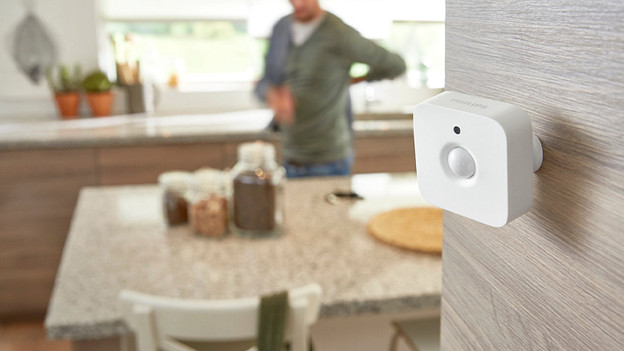
Top Picks: Leading Smart Sensors for Energy Savings
Several brands offer reliable smart thermostat sensors tailored for short-term rental applications. Here are some of the most popular options:
- Ecobee SmartSensors: Known for accurate occupancy detection and seamless integration with Ecobee thermostats. Allows for room-by-room temperature balancing.
- Google Nest Temperature Sensors: Compatible with Nest thermostats, these sensors help maintain consistent comfort in key areas of the home.
- Honeywell Home T9/T10 Sensors: Offer advanced motion detection and can prioritize rooms based on occupancy and schedule.
- Third-party integrations: Some sensors work with platforms like Alexa, SmartThings, or Apple HomeKit, expanding automation possibilities.
When choosing a solution, consider the size of your property, the number of rooms, and your preferred smart home ecosystem. For more advanced notification systems, hosts may benefit from a smart alert system for hosts to receive instant updates on property conditions.
Installation and Setup Tips for Airbnb Hosts
Setting up smart thermostat sensors in your rental doesn’t have to be complicated. Here are some practical steps to ensure a smooth installation:
- Read the manufacturer’s instructions: Each brand may have specific setup requirements. Follow the guide closely for best results.
- Place sensors strategically: Install sensors in high-traffic areas or rooms where guests spend the most time, such as bedrooms and living rooms.
- Test for connectivity: Make sure each sensor communicates effectively with your thermostat and Wi-Fi network.
- Configure automation rules: Set up schedules or occupancy-based triggers to maximize energy savings.
- Educate guests: Leave simple instructions or a welcome card explaining how the system works, so guests can adjust settings if needed.
For hosts looking to enhance security and access control, integrating rental property access sensors can provide additional peace of mind.

Maximizing Efficiency with Smart Sensors and Automation
To get the most out of your smart thermostat sensors, combine them with other automation tools and best practices:
- Integrate with smart locks: Automatically adjust the temperature when guests check in or out using Airbnb smart access control systems.
- Pair with occupancy sensors: Use additional motion or door sensors to further refine energy management.
- Monitor remotely: Use your smartphone or property management dashboard to keep tabs on all connected devices.
- Leverage analytics: Review energy usage reports to identify trends and make data-driven adjustments.
Combining these strategies can significantly reduce unnecessary heating and cooling, leading to lower bills and a smaller environmental footprint. For a deeper dive into the technology behind these solutions, IBM offers a helpful overview of smart home sensors and their applications.
Common Challenges and Solutions for Hosts
While smart thermostat sensors offer many benefits, hosts may encounter some obstacles:
- Wi-Fi connectivity issues: Ensure your property has strong, reliable internet coverage in all rooms where sensors are installed.
- Guest privacy concerns: Clearly communicate that sensors are used only for temperature and occupancy detection, not for surveillance.
- Device compatibility: Double-check that new sensors will work with your existing smart home setup.
- Maintenance: Regularly check batteries and firmware updates to keep devices running smoothly.
By proactively addressing these challenges, hosts can provide a seamless, comfortable experience for guests while maintaining control over energy costs.
FAQ: Smart Thermostat Sensors in Airbnb Rentals
How do smart thermostat sensors help reduce energy bills in short-term rentals?
These sensors detect when guests are present and automatically adjust heating or cooling, preventing energy waste when the property is unoccupied. They also allow for remote management, so hosts can ensure systems aren’t left running unnecessarily between bookings.
Are smart thermostat sensors difficult to install for Airbnb properties?
Most modern sensors are designed for easy installation, often requiring only a few minutes and basic tools. Wireless models are especially convenient, as they don’t require complex wiring. Always follow the manufacturer’s instructions for best results.
Can guests control the temperature if smart sensors are installed?
Yes, most systems allow guests to adjust the temperature within a set range. Hosts can configure limits to prevent extreme settings, ensuring comfort while maintaining energy efficiency.
Conclusion
Adopting smart thermostat sensors is a practical step for Airbnb hosts aiming to balance guest satisfaction with operational efficiency. By choosing the right devices, placing them strategically, and integrating them with broader automation systems, you can achieve significant energy savings and deliver a superior rental experience. Whether you’re managing a single property or a growing portfolio, smart technology is a valuable investment for the future of short-term rentals.