

Short-term rental (STR) properties face unique security challenges, from guest turnover to remote management. Automating smart cameras is a practical way to enhance safety, streamline operations, and provide peace of mind for both hosts and guests. This guide explains how to automate smart cameras for security in vacation rentals, covering essential steps, integration tips, and best practices for property owners and managers.
With the rise of connected devices, integrating surveillance with other smart home systems is more accessible than ever. By leveraging automation, you can monitor entry points, receive instant alerts, and even manage access remotely. For hosts managing multiple units, exploring scalable rental sensor systems can further streamline property oversight and security.

Why Automate Surveillance in Short-Term Rentals?
Automating smart cameras in STRs offers several advantages:
- 24/7 Monitoring: Automated systems keep watch even when you can’t, ensuring continuous coverage.
- Instant Notifications: Receive real-time alerts for motion, sound, or unauthorized access.
- Remote Access: View live feeds and recordings from anywhere, using your smartphone or computer.
- Integration with Other Devices: Connect cameras with locks, sensors, and alarms for a comprehensive security solution.
- Guest Privacy Compliance: Set up automation to disable or limit indoor camera recording during guest stays, maintaining trust and compliance.
These benefits make automation a valuable tool for hosts seeking to balance security, guest experience, and operational efficiency.
Choosing the Right Smart Cameras for Automated Security
Selecting the best cameras is the foundation of any automated security setup. Consider the following factors:
- Resolution and Night Vision: High-definition video and infrared capabilities ensure clear footage day and night.
- Weather Resistance: For outdoor use, choose cameras rated for rain, dust, and temperature extremes.
- Field of View: Wide-angle lenses cover more area, reducing the number of devices needed.
- Power Options: Battery-powered models offer flexible placement, while wired cameras provide consistent power.
- Integration Compatibility: Ensure your cameras work with popular smart home platforms like Google Home, Amazon Alexa, or Apple HomeKit.
Some leading brands for STRs include Google Nest, Arlo, Ring, and Eufy. These options offer robust automation features and reliable performance.
Integrating Smart Cameras with Home Automation Platforms
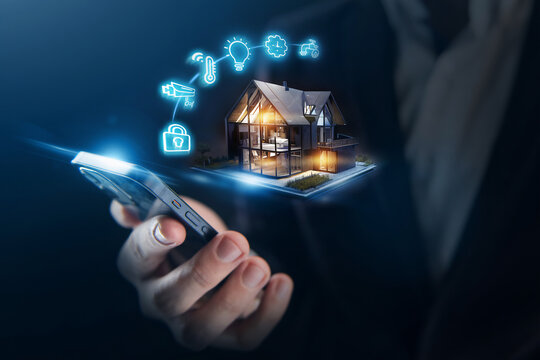
To fully automate your security setup, connect your cameras to a central smart home platform. This allows you to create routines, automate responses, and manage devices from a single dashboard. Here’s how to get started:
- Choose a Hub: Platforms like Google Home, Amazon Alexa, or Apple HomeKit serve as the control center for your devices.
- Add Your Cameras: Use the platform’s app to connect each camera. Most modern devices support Wi-Fi pairing and step-by-step onboarding.
- Create Automation Rules: Set up triggers such as “record when motion is detected at the front door” or “send notification if camera sees movement after check-out.”
- Integrate with Other Devices: Link cameras to smart locks, lights, or alarms. For example, you can turn on porch lights when the doorbell camera detects motion at night.
For hosts managing multiple properties, consider using property manager smart sensors to centralize monitoring and automate responses across all units.
Automating Alerts and Notifications for STR Security
One of the key benefits of smart camera automation is the ability to receive instant alerts. Here’s how to optimize notifications for STRs:
- Customize Motion Zones: Define specific areas (like entryways) to monitor, reducing false alarms from passing cars or wildlife.
- Set Schedules: Automate alerts based on guest check-in and check-out times, so you’re only notified when the property is vacant or during off-hours.
- Integrate with Messaging Apps: Some platforms allow alerts via SMS, email, or third-party apps for faster response.
- Automate Guest Privacy: Use automation to disable indoor cameras during guest stays while keeping outdoor monitoring active.
Pairing cameras with a smart alert system for hosts can further streamline notifications and ensure you never miss critical events.
Best Practices for Automated Camera Security in Rentals
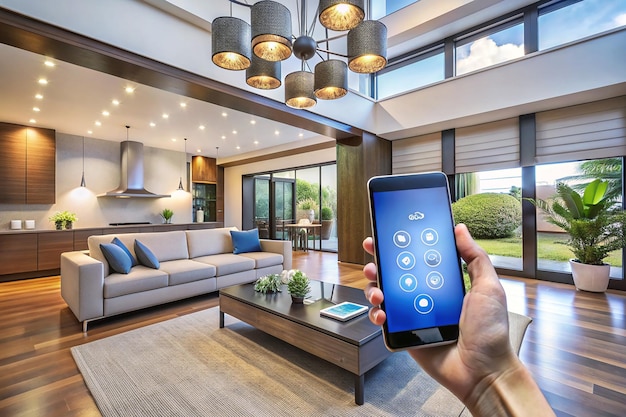
To maximize the effectiveness of your automated security system, follow these best practices:
- Position Cameras Strategically: Focus on entrances, driveways, and common areas outside the property. Avoid placing cameras in private indoor spaces to respect guest privacy.
- Inform Guests: Clearly disclose the presence and locations of cameras in your listing and welcome materials. Transparency builds trust and complies with most platform policies.
- Regularly Test Automation: Periodically check that all routines, alerts, and integrations are functioning as intended.
- Keep Firmware Updated: Update camera software regularly to patch security vulnerabilities and access new features.
- Secure Your Network: Use strong passwords, enable two-factor authentication, and segment your Wi-Fi network to protect devices from hacking.
For even more control, explore Airbnb smart access control solutions that allow you to manage permissions and entry remotely, further enhancing your property’s safety.
Expanding Automation: Beyond Cameras
While automating cameras is a crucial step, integrating other smart devices can create a seamless security ecosystem. Consider adding:
- Smart Locks: Automate guest access and monitor entry logs.
- Door and Window Sensors: Receive alerts for unauthorized openings.
- Environmental Sensors: Detect smoke, carbon monoxide, or water leaks for comprehensive protection.
- Smart Lighting: Schedule lights to deter intruders and welcome guests.
Combining these devices with your camera system ensures layered security and operational efficiency. For more on integrating access sensors, check out rental property access sensors for secure entry management.
For a broader perspective on how automation is transforming the rental industry, see this overview of home automation in rentals.
FAQ
Can I automate smart cameras without a central hub?
Yes, many modern cameras offer built-in automation features through their own apps, such as motion alerts and scheduling. However, using a central hub like Google Home or Amazon Alexa allows for more advanced routines and integration with other devices.
How do I ensure guest privacy when using automated cameras?
Always place cameras only in common or exterior areas, never in private indoor spaces. Disclose all camera locations in your listing and automate disabling of indoor cameras during guest stays. This approach maintains trust and complies with most platform rules.
What should I do if my automated camera system stops working?
First, check your Wi-Fi connection and power supply. Restart the camera and update its firmware if needed. If issues persist, consult the manufacturer’s support resources or consider professional installation for more complex setups.