

Automating entry systems is rapidly becoming a must-have for property owners and managers who want to provide seamless, secure, and flexible access for guests. Whether you manage short-term rentals, multi-unit properties, or a single vacation home, knowing how to automate locks for convenience can transform the guest experience and reduce your workload. This article explores the practical steps, benefits, and considerations for streamlining access with smart lock automation.
With the rise of digital hospitality, guests now expect self-check-in, contactless entry, and reliable security. Automated locks not only meet these expectations but also help hosts and managers handle turnovers, emergencies, and access permissions remotely. Before diving into the technical details, it’s important to understand the broader advantages and how these systems fit into a modern property management strategy.
For those managing multiple units or scaling their rental business, integrating scalable rental sensor systems can further enhance automation and security, making it easier to monitor and control access across properties.
Why Automating Entry Systems Improves Guest Experience
Automating locks is about more than just convenience—it’s about creating a smooth, stress-free arrival and departure process for guests. Here are some of the main benefits:
- 24/7 Self-Check-In: Guests can arrive at any hour without waiting for a key handoff, making late-night arrivals or travel delays hassle-free.
- Enhanced Security: Digital codes or app-based access reduce the risk of lost keys and unauthorized duplication.
- Remote Management: Hosts can issue, revoke, or change access codes instantly, minimizing the need for on-site visits.
- Audit Trails: Many smart locks provide logs of who entered and when, adding a layer of accountability.
- Integration with Other Smart Devices: Automated locks can work alongside thermostats, cameras, and sensors for a fully connected property.
By focusing on how to automate locks for convenience, property managers can deliver a more professional and guest-friendly experience while protecting their assets.
Choosing the Right Smart Lock for Your Property
The first step in automating entry is selecting a lock that fits your needs. Consider the following factors:
- Compatibility: Ensure the lock works with your door type and existing hardware.
- Connectivity: Options include Wi-Fi, Bluetooth, Z-Wave, or Zigbee. Wi-Fi locks offer remote control, while Bluetooth models may require proximity.
- Integration: Look for locks that connect with property management platforms or smart home hubs for centralized control.
- Guest Access Features: Some locks allow you to schedule codes, set expiration times, or send digital keys directly to guests’ smartphones.
- Battery Life and Power Backup: Choose a model with long battery life and emergency power options to avoid lockouts.
Popular brands include August, Yale, Schlage, and Kwikset, each offering different features and levels of integration. Researching user reviews and support options can help you make the best choice for your property type.
Setting Up Automated Access for Guests
Once you’ve selected a smart lock, the next step is configuring it for automated guest entry. Here’s a step-by-step approach:
- Install the Smart Lock: Follow the manufacturer’s instructions for installation. Most models are designed for DIY setup, but professional installation is available if needed.
- Connect to Wi-Fi or Smart Hub: Use the lock’s app to connect it to your home network or smart home system.
- Create Guest Codes: For each reservation, generate a unique access code or digital key. Many locks allow you to schedule codes to activate and expire automatically based on check-in and check-out times.
- Send Instructions to Guests: Provide clear entry instructions, including how to use the lock, the code, and troubleshooting tips.
- Monitor and Manage Access: Use the app or property management platform to monitor entry logs and revoke access when the reservation ends.
Automating these steps saves time and reduces the risk of human error, especially during busy turnover periods.
Integrating Lock Automation with Property Management Tools
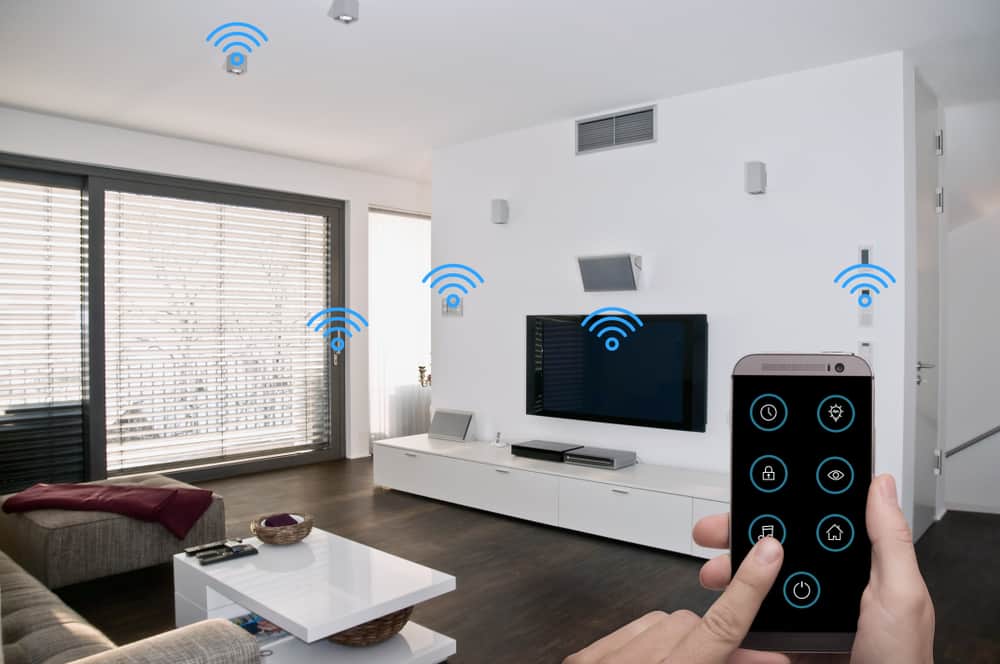
For hosts managing several properties or units, integrating smart locks with property management software can streamline operations. Many platforms now offer direct integration with popular lock brands, allowing you to:
- Automatically generate and send access codes when a booking is confirmed
- Sync check-in/check-out times with code activation and expiration
- Receive notifications if a guest has not checked out or if a code is used outside of scheduled times
- Combine access control with other smart devices, such as property manager smart sensors or environmental monitors
This level of automation reduces manual tasks and ensures that each guest receives a personalized, secure entry experience.
Best Practices for Secure and Convenient Automated Entry
While automating locks offers many advantages, it’s important to follow best practices to maintain both security and convenience:
- Regularly Update Codes: Never reuse access codes between guests. Set codes to expire automatically after each stay.
- Educate Guests: Provide clear instructions, including what to do if they encounter issues with the lock.
- Monitor Battery Levels: Set reminders to check and replace batteries to prevent lockouts.
- Have a Backup Plan: Keep a physical key or backup access method available for emergencies.
- Stay Informed on Security Updates: Regularly update your lock’s firmware and app to protect against vulnerabilities.
Following these guidelines ensures that your automated entry system remains reliable and secure for every guest.
Expanding Automation Beyond Entry
Automated locks are just one part of a broader smart property ecosystem. Integrating other devices can further improve convenience and security for both guests and hosts. Consider adding:
- Smart Thermostats: Allow guests to control temperature remotely or set schedules for energy efficiency.
- Video Doorbells: Provide visual confirmation of arrivals and enhance security.
- Access Sensors: Use rental property access sensors to monitor doors and windows for unauthorized entry.
- Alert Systems: Set up a smart alert system for hosts to receive instant notifications about property status.
Combining these technologies creates a seamless, automated environment that appeals to modern travelers and reduces operational friction for property managers.
Common Challenges and How to Overcome Them
While the benefits of automating locks are clear, some challenges may arise:
- Connectivity Issues: Wi-Fi outages or weak signals can disrupt remote access. Use locks with local backup options or Bluetooth connectivity as a fallback.
- Guest Confusion: Not all guests are familiar with smart locks. Provide step-by-step guides and offer support contacts for assistance.
- Integration Complexity: Managing multiple devices and platforms can be overwhelming. Choose systems that offer centralized dashboards or integrate with your existing property management tools.
- Security Concerns: Stay updated on best practices and regularly review access logs to detect unusual activity.
By anticipating these issues and planning accordingly, you can ensure a smooth transition to automated entry.
Resources for Further Learning
If you’re interested in exploring more about smart technology for rental properties, check out this detailed guide to smart technology for rentals. It covers a wide range of devices and strategies for making your property more efficient and guest-friendly.
For those managing Airbnb or similar short-term rentals, solutions like Airbnb smart access control can help you manage permissions remotely and ensure a secure, automated experience for every guest.
Frequently Asked Questions
What are the main benefits of automating locks for guest access?
Automated locks provide self-check-in, enhanced security, and remote management. They reduce the need for physical key exchanges and allow for flexible, contactless entry, improving both guest satisfaction and operational efficiency.
How do I ensure my automated lock system is secure?
Use unique, time-limited codes for each guest, regularly update your lock’s firmware, and monitor access logs. Always have a backup entry method and educate guests on proper use to prevent lockouts or misuse.
Can automated locks integrate with other smart home devices?
Yes, many smart locks can be connected to property management platforms, smart thermostats, video doorbells, and sensors. This integration allows for centralized control and a more seamless experience for both guests and hosts.