

Managing rental properties from afar has become much more practical thanks to advances in smart technology. Landlords and property managers can now keep an eye on their investments, ensure tenant safety, and reduce maintenance costs—without being physically present. If you’re searching for how to automate remote monitoring for your rental units, this guide will walk you through the essential tools, setup steps, and best practices for modern property oversight.
Automating oversight for rental homes isn’t just about convenience. It’s a proactive way to prevent issues, respond quickly to emergencies, and offer a better experience for tenants. With the right combination of smart sensors, connected devices, and cloud-based dashboards, you can streamline operations and protect your assets—whether you manage a single unit or a growing portfolio.
For those scaling up, it’s worth exploring scalable rental sensor systems that can grow with your property management needs. These solutions are designed to handle multiple units efficiently, making them ideal for property managers with expanding portfolios.
Why Automate Oversight for Your Rental Units?
Automated monitoring brings several advantages to landlords and property managers:
- Real-time alerts for security breaches, water leaks, or HVAC failures.
- Remote access to property status, reducing the need for on-site visits.
- Lower operational costs by catching issues early and optimizing energy use.
- Improved tenant satisfaction through faster response times and safer living environments.
- Better documentation for insurance claims and regulatory compliance.
With these benefits, it’s no surprise that many rental owners are adopting smart solutions to automate their property oversight.
Core Technologies for Automated Property Monitoring
To effectively set up remote monitoring, you’ll need a combination of hardware and software. Here are the main components:
- Smart Sensors: Devices that detect motion, temperature changes, humidity, smoke, water leaks, and more. These sensors form the backbone of any automated system.
- Connected Cameras: Indoor and outdoor cameras provide live video feeds and can send motion alerts directly to your phone or dashboard.
- Smart Locks and Access Control: Remotely manage entry permissions and monitor who accesses the property. For more on this, see our guide to Airbnb smart access control.
- Environmental Controls: Smart thermostats, smoke detectors, and CO2 sensors help maintain safe and comfortable conditions.
- Centralized Dashboards: Cloud-based platforms that aggregate data from all devices, allowing you to monitor and manage multiple properties from anywhere.
Step-by-Step Guide to Setting Up Automated Monitoring
Implementing a remote oversight system for your rentals involves several key steps. Here’s how to get started:
1. Assess Your Property’s Needs
Begin by identifying the most important risks and pain points for your rental. Do you need to focus on security, leak detection, energy management, or all of the above? Consider the property’s size, location, and tenant profile.
2. Choose Compatible Smart Devices
Look for devices that integrate well with each other and can be managed from a single dashboard. Popular options include:
- Smart thermostats for energy control
- Video doorbells and security cameras
- Leak and humidity sensors for kitchens and bathrooms
- Smart locks for keyless entry
For multi-unit properties, consider property manager smart sensors that are designed for larger portfolios.
3. Install and Connect Devices
Most modern smart devices are designed for easy installation. Follow manufacturer instructions, and ensure each device is connected to the property’s Wi-Fi network. Use secure passwords and enable two-factor authentication where possible to protect your system.
4. Set Up Alerts and Automations
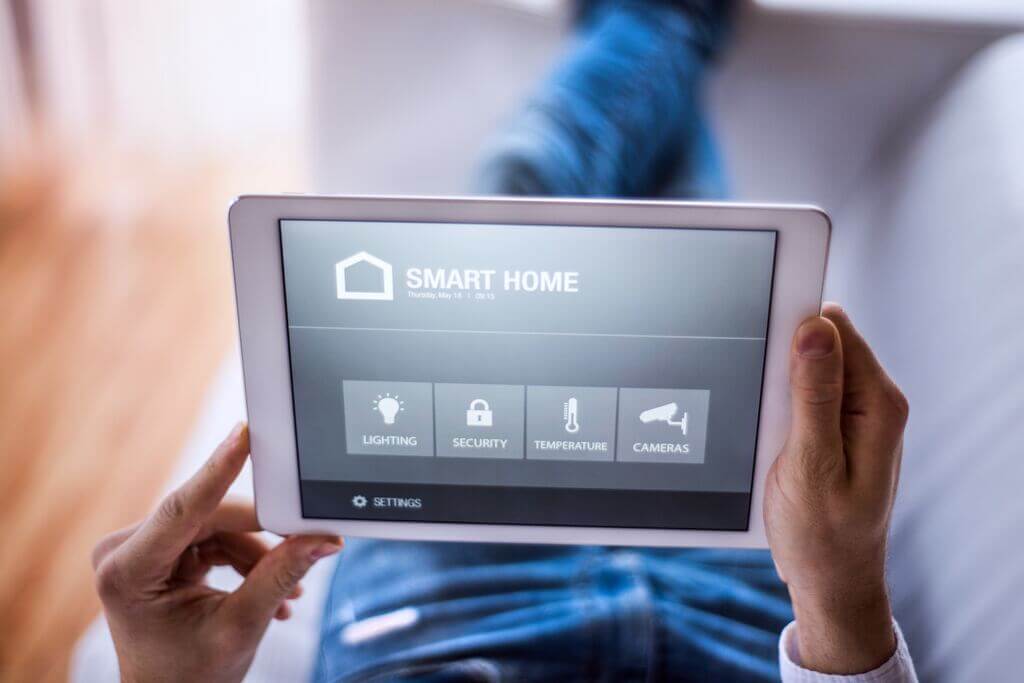
Configure your system to send instant notifications for specific events, such as motion detection, water leaks, or temperature anomalies. Many platforms allow you to automate actions—like turning off the water supply if a leak is detected or adjusting the thermostat based on occupancy.
5. Monitor and Maintain
Regularly check your dashboard for device health and battery status. Schedule periodic tests to ensure all sensors and cameras are functioning. Keep software and firmware updated to maintain security and compatibility.
Energy and Cost Savings Through Smart Automation
Automated monitoring isn’t just about security—it can also help you save on utilities and maintenance. Smart thermostats, for example, can optimize heating and cooling schedules based on occupancy, while leak sensors can prevent costly water damage.
For more insights into how smart homes can reduce energy costs, check out this overview of smart home rentals with automated lighting and appliances.
Integrating Access Control and Alerts
Managing who enters your property is a key part of automated oversight. Smart locks and access sensors let you grant or revoke entry permissions remotely, monitor door activity, and receive alerts if doors are left open or forced. For a deeper dive, see our article on rental property access sensors.
Instant notifications are also crucial. A smart alert system for hosts can deliver real-time updates to your phone or email, so you’re always informed about critical events at your properties.
Best Practices for Reliable Remote Monitoring
- Test devices regularly: Schedule routine checks to ensure all sensors, cameras, and locks are working as expected.
- Keep software updated: Update device firmware and app software to patch security vulnerabilities and improve performance.
- Document incidents: Use your dashboard to log alerts and responses for insurance or compliance purposes.
- Educate tenants: Let tenants know about the monitoring systems, what data is collected, and how it benefits their safety and comfort.
- Plan for outages: Have backup power or cellular connectivity for critical devices in case of Wi-Fi or electricity failures.
Frequently Asked Questions
What are the most important devices for automated property monitoring?
The most essential devices include smart sensors (for motion, leaks, smoke, and temperature), security cameras, smart locks, and a centralized dashboard for real-time alerts. These provide comprehensive coverage for security, maintenance, and energy management.
Can I automate monitoring for multiple rental units at once?
Yes, many modern systems are designed to handle several properties from a single dashboard. Solutions like scalable rental sensor systems are ideal for property managers overseeing multiple units.
How do I ensure tenant privacy with automated monitoring?
It’s important to be transparent with tenants about what devices are installed and what data is collected. Avoid placing cameras inside private areas and use sensors that only monitor environmental factors. Always comply with local privacy laws and regulations.
Is it expensive to set up automated monitoring?
Costs vary depending on the number of devices and the complexity of your setup. However, the investment often pays off through reduced maintenance costs, lower insurance premiums, and increased property value.
What should I do if a device stops working?
Most dashboards will alert you if a device goes offline. Schedule regular maintenance checks and keep spare batteries or backup devices on hand to minimize downtime.
Automating oversight for rental properties is a smart move for landlords and managers seeking efficiency, security, and peace of mind. By leveraging the right mix of smart technology and best practices, you can protect your investment and offer a better experience for your tenants.