

Managing short-term rentals or vacation properties involves a constant balance between delivering a great guest experience and keeping operations efficient. One area that can quickly become time-consuming is communicating check-out procedures. As the number of bookings grows, manually sending instructions can lead to mistakes, delays, or missed details. Learning how to automate check-out instructions is a practical way to streamline turnover, reduce stress, and ensure guests always receive clear, timely guidance.
This article explores practical steps for automating departure instructions, the tools that make it possible, and how automation can help hosts maintain consistency and professionalism. Whether you manage a single property or a growing portfolio, automating these communications can free up valuable time and improve the guest experience.
For hosts managing multiple properties, leveraging scalable rental sensor systems can further enhance automation, providing real-time insights and seamless integration with your check-out processes.
Why Automate Departure Instructions?
Manual communication can be inconsistent and prone to errors, especially during busy turnover periods. Automating the process ensures that every guest receives the same, up-to-date information at the right time. Here are some key benefits:
- Consistency: Every guest receives identical, accurate instructions, reducing confusion and questions.
- Time Savings: Hosts and property managers save hours each month by eliminating repetitive messaging tasks.
- Professionalism: Automated messages create a polished, reliable impression for guests.
- Reduced Mistakes: Automation minimizes the risk of forgetting to send instructions or omitting important details.
Choosing the Right Tools for Automated Messaging
To successfully implement automated check-out instructions, you’ll need the right technology. Many property management systems (PMS), channel managers, and messaging platforms offer built-in automation features. Here’s what to look for:
- Scheduling Capabilities: The ability to send messages at a specific time before check-out (e.g., 24 hours prior).
- Template Support: Customizable templates that allow you to personalize messages with guest names, property details, and unique instructions.
- Integration: Compatibility with your booking platforms, such as Airbnb, Vrbo, or Booking.com.
- Multi-Channel Delivery: Options to send instructions via email, SMS, or in-app messaging.
Some popular platforms that support these features include Hospitable, Guesty, and Host Tools. For hosts seeking more advanced solutions, integrating property manager smart sensors can further automate and monitor property status during turnover.
Setting Up Automated Check-Out Instructions
Once you’ve selected a platform, follow these steps to set up your automated departure communications:
- Draft Your Message Template: Write a clear, concise message outlining all necessary steps for check-out. Include reminders about keys, cleaning up, trash disposal, and any other property-specific requirements.
- Personalize with Variables: Use template variables (like guest name, check-out date, or property address) to make each message feel personal and relevant.
- Schedule Delivery: Set your system to send the message at an optimal time—commonly 24 hours before check-out, or the evening before departure.
- Test the Workflow: Run a test to ensure the message is delivered correctly and all variables populate as expected.
By automating these steps, you can focus on higher-value tasks while ensuring guests always know exactly what to do before leaving.

Best Practices for Automated Departure Messaging
To maximize the effectiveness of your automated instructions, keep these best practices in mind:
- Be Clear and Concise: Use bullet points or numbered lists to make steps easy to follow.
- Include Contact Information: Let guests know how to reach you if they have questions or issues during check-out.
- Remind About House Rules: Gently reinforce any key rules, such as quiet hours or pet policies, as part of the check-out process.
- Thank Your Guests: Express appreciation for their stay and invite them to leave a review.
Automated messages can also be updated seasonally or customized for special occasions, ensuring your communications remain relevant and engaging.
Integrating Smart Technology for Seamless Check-Outs
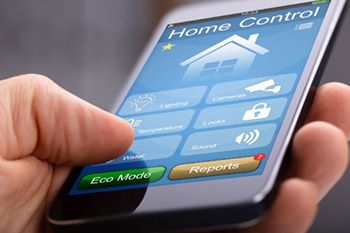
Beyond messaging, smart home devices can further streamline the departure process. For example, smart locks allow you to remotely monitor when guests leave and automatically reset codes for the next arrival. Smart thermostats and sensors can help you manage energy use and property security between stays. For more on integrating technology, see our guide on rental property access sensors for secure entry management.
Combining automated instructions with smart devices not only improves efficiency but also enhances security and guest satisfaction.
Common Challenges and How to Overcome Them
While automating check-out communications offers many advantages, there are some potential challenges to address:
- Technical Glitches: Occasionally, messages may not send due to software errors or integration issues. Regularly test your system and keep software updated.
- Outdated Information: If your instructions change, update templates immediately to avoid sending incorrect details.
- Personal Touch: Automation can feel impersonal if overused. Balance automated messages with occasional personalized notes or follow-ups.
For more tips on automating your rental property, check out this comprehensive guide to automating your rental property for insights on integrating technology and streamlining operations.
Enhancing Security and Compliance
Automated departure instructions can also help with security and compliance. For example, reminding guests to lock doors and windows, return keys, and follow local waste disposal rules can reduce risks and ensure your property remains in good condition. Integrating with a smart alert system for hosts can provide instant notifications if issues arise during or after check-out.
FAQ: Automating Departure Instructions for Guests
What information should be included in automated check-out instructions?
Effective automated messages should cover key steps for leaving the property, such as returning keys, adjusting thermostats, disposing of trash, tidying up, and any special requirements unique to your home. Always include contact details in case guests have questions.
Can automation handle last-minute changes or special requests?
Most automation tools allow you to edit or override scheduled messages if needed. For special requests or last-minute changes, you can send a personalized follow-up in addition to the automated message.
How do I ensure my automated instructions are delivered reliably?
Choose a reputable platform with proven reliability and regularly test your messaging workflow. Keep your templates up to date and monitor message delivery to catch any issues early.
Conclusion
Automating your check-out communications is a practical step toward more efficient property management. By leveraging the right tools and following best practices, you can ensure every guest receives timely, clear instructions—improving both their experience and your operational workflow. As you expand your rental business, integrating automation with smart home technology and scalable systems will help you stay organized and deliver a consistently professional service.