
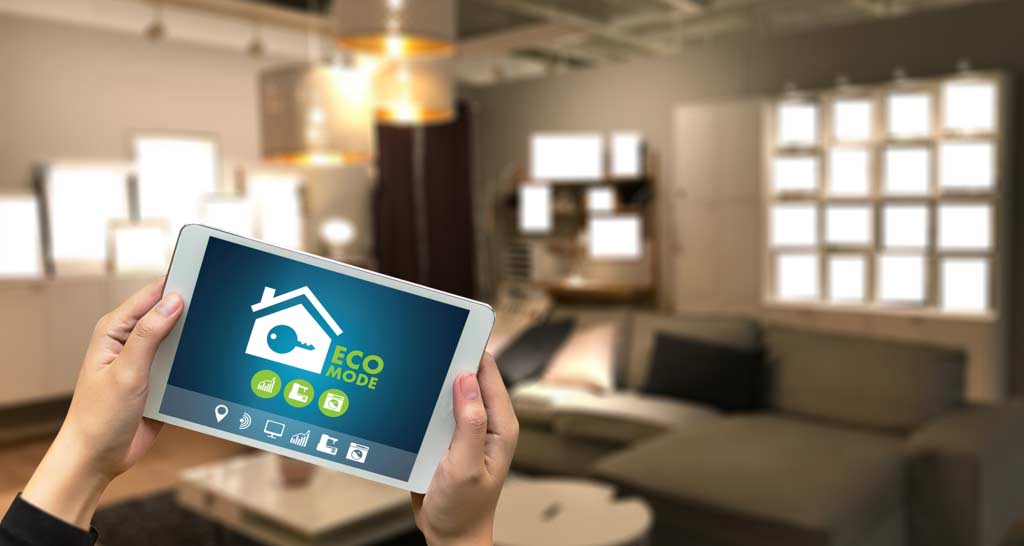

Managing climate control in short-term rental properties is essential for both guest comfort and operational efficiency. With the rise of smart thermostats and connected home technology, hosts can now automate temperature settings, reduce energy costs, and ensure a welcoming environment for every guest. Understanding how to set temperature schedules effectively can help property owners balance guest satisfaction with utility savings.
Whether you operate a single vacation rental or manage multiple listings, creating a consistent approach to temperature management is a valuable part of your hosting strategy. This article covers the key steps, best practices, and tools for optimizing temperature schedules in short-term accommodations. For those interested in broader property management strategies, exploring topics like airbnb zoning strategy for investors can further enhance your rental business.
Why Smart Temperature Scheduling Matters in Short-Term Rentals
Short-term rental hosts face unique challenges when it comes to climate control. Guests may arrive from different climates, have varying comfort preferences, or check in at odd hours. Without a plan, this can lead to wasted energy, high utility bills, or uncomfortable stays. Implementing smart temperature schedules addresses these issues by:
- Reducing energy consumption when the property is vacant
- Ensuring the home is comfortable upon guest arrival
- Minimizing manual thermostat adjustments and maintenance calls
- Protecting the property from extreme temperatures (e.g., frozen pipes in winter)
Automated climate control is especially valuable for remote hosts or those managing multiple units, as it provides peace of mind and operational consistency.
Choosing the Right Smart Thermostat for Your Rental
The foundation of any automated temperature plan is a reliable smart thermostat. Popular options like the Google Nest Thermostat offer features tailored for rental properties, such as remote access, scheduling, and energy reports. When selecting a device, consider:
- Ease of use for both hosts and guests
- Compatibility with existing HVAC systems
- Ability to lock settings or restrict manual changes
- Integration with property management platforms or smart home hubs
For more insights on smart home solutions for rental properties, see this guide to smart home upgrades for renters.
Step-by-Step Guide: Setting Up Automated Temperature Schedules
Once you’ve installed a compatible smart thermostat, follow these steps to create effective temperature routines:
- Download the thermostat’s app and connect your device to Wi-Fi. This allows for remote access and scheduling from anywhere.
- Set default temperature ranges for occupied and vacant periods. For example, keep the home at 70°F (21°C) when guests are present, and allow it to drift to 60°F (16°C) when vacant.
- Create a check-in preparation schedule. Program the thermostat to adjust to a comfortable temperature a few hours before guest arrival.
- Schedule setback periods during known vacancies, such as between bookings or during cleaning windows.
- Enable vacation or away modes for longer gaps between guests, ensuring pipes and appliances are protected without unnecessary energy use.
- Test your settings by simulating a guest stay to ensure comfort and proper automation.

Best Practices for Temperature Automation in Rentals
To maximize the benefits of automated climate control, consider these best practices:
- Communicate with guests: Let them know about the smart thermostat and how to adjust it if needed. Provide simple instructions in your welcome guide.
- Lock critical settings: Many smart thermostats allow you to restrict temperature changes, preventing excessive heating or cooling.
- Monitor usage remotely: Use the app to check temperature history and receive alerts for unusual activity, such as windows left open or HVAC malfunctions.
- Adjust for seasons: Update your schedules as weather changes to keep energy use efficient year-round.
- Integrate with other smart devices: Link your thermostat to smart locks or occupancy sensors for even more precise automation.
Implementing these strategies can help you achieve a balance between guest comfort and operational efficiency, while also protecting your property investment.
Common Mistakes to Avoid When Programming Schedules
Even with the best technology, mistakes in scheduling can undermine your efforts. Avoid these pitfalls:
- Overcomplicating schedules: Keep routines simple and easy to adjust as bookings change.
- Ignoring local climate: Set temperature ranges appropriate for your region and season.
- Forgetting about cleaning staff: Ensure your cleaning team isn’t left in uncomfortable conditions by scheduling moderate temperatures during turnover periods.
- Not testing automations: Always verify that your schedules work as intended before relying on them for guest stays.
Integrating Temperature Schedules with Other Rental Management Tools
Many property management systems now offer integrations with smart thermostats, allowing you to automate temperature changes based on booking calendars or guest check-in/out times. By syncing your climate control with reservation data, you can further reduce manual work and ensure a seamless guest experience.
For hosts managing multiple properties or looking to streamline operations, consider platforms that offer centralized control of smart devices, notifications for maintenance issues, and analytics on energy usage.
Additional Resources for Rental Hosts
Setting up automated climate control is just one aspect of successful rental management. For more tips on compliance and property optimization, you may want to review resources like short term rental zoning best practices or explore strategies for different property types, such as airbnb zoning for suburban areas.
Frequently Asked Questions
What temperature should I set for guest arrivals?
Aim for a comfortable range, typically between 68–72°F (20–22°C), depending on the season and local climate. Adjust the thermostat a few hours before check-in so the property is ready when guests arrive.
How can I prevent guests from changing the thermostat settings?
Many smart thermostats offer lock or limit features that restrict temperature adjustments. You can set a minimum and maximum range, or require a PIN to make changes, ensuring energy efficiency while still allowing some guest control.
Is it possible to automate temperature changes based on bookings?
Yes, several property management platforms integrate with smart thermostats to trigger temperature adjustments based on booking calendars. This ensures the home is always ready for guests and saves energy during vacancies.
Do smart thermostats work with all HVAC systems?
Most modern smart thermostats are compatible with standard heating and cooling systems, but it’s important to check compatibility before purchasing. Consult your HVAC manual or a professional installer if you’re unsure.
By following these guidelines and leveraging smart technology, rental hosts can create a more efficient, comfortable, and guest-friendly environment—while also saving on energy costs and reducing manual work.