

Managing energy costs and guest comfort is a top priority for short-term rental (STR) property owners. One of the most effective ways to achieve this balance is by implementing automated thermostat timers. These smart solutions help maintain optimal temperatures, reduce utility bills, and simplify property management—especially when you can’t be on-site for every guest turnover.
In this guide, you’ll learn practical steps and best practices for setting up automated temperature control in your rental property. We’ll cover the benefits, technology options, setup tips, and how automation can fit into a broader smart home strategy for hosts. If you’re also interested in compliance and operational strategies, check out the airbnb zoning strategy for investors for more insights on optimizing your rental business.
Why Automate Temperature Control in Short-Term Rentals?
Automating thermostat timers brings several advantages for STR hosts. The most significant benefits include:
- Energy Efficiency: Automated systems can adjust heating and cooling based on occupancy, reducing unnecessary energy use when the property is vacant.
- Guest Comfort: Pre-setting comfortable temperatures for guest arrivals and departures ensures a positive experience.
- Remote Management: Smart thermostats allow you to monitor and control settings from anywhere, making it easier to manage multiple properties or respond to guest needs quickly.
- Cost Savings: Lower utility bills and less wear on HVAC systems can significantly improve your bottom line.
- Security and Compliance: Some local regulations require temperature controls for guest safety, and automation helps ensure compliance.
Choosing the Right Smart Thermostat for Your STR
Selecting a reliable smart thermostat is the first step in automating your rental’s climate control. Look for models that offer:
- Programmable Schedules: Set daily or weekly temperature routines to match typical guest check-in and check-out times.
- Remote Access: Control settings via a smartphone app or web portal, allowing for quick adjustments between bookings.
- Integration with Other Smart Devices: Compatibility with door locks, occupancy sensors, or property management platforms enhances automation.
- User-Friendly Interface: Guests should be able to adjust the temperature easily without confusion.
Popular options like the Google Nest Thermostat and Ecobee SmartThermostat are well-suited for STRs due to their robust features and ease of use.
Setting Up Automated Thermostat Timers
Once you’ve selected a device, the next step is to configure your thermostat for automation. Here’s a straightforward process to get started:
- Install the Thermostat: Follow the manufacturer’s instructions for installation. Most modern smart thermostats are designed for DIY setup, but you may want to hire a professional for complex systems.
- Connect to Wi-Fi: Ensure your thermostat is connected to a reliable internet connection for remote access and updates.
- Download the App: Use the official app to link your thermostat to your account and begin programming schedules.
- Set Schedules: Program temperature changes to align with guest check-in and check-out times. For example, set the temperature to a comfortable level an hour before arrival and adjust it for energy savings after departure.
- Enable Geofencing or Occupancy Detection: Some models can automatically adjust settings based on guest presence, further optimizing energy use.
- Test and Monitor: After setup, monitor the system to ensure it responds as expected. Make adjustments based on guest feedback or seasonal changes.
Integrating Thermostat Automation with Other Smart Devices
For hosts managing multiple properties or aiming for a fully automated experience, integrating your thermostat with other smart devices can offer additional convenience. Consider pairing your thermostat with:
- Smart Locks: Trigger temperature adjustments when a guest unlocks the door.
- Occupancy Sensors: Automatically switch to eco mode when the property is unoccupied.
- Property Management Systems: Sync guest bookings with thermostat schedules for seamless automation.
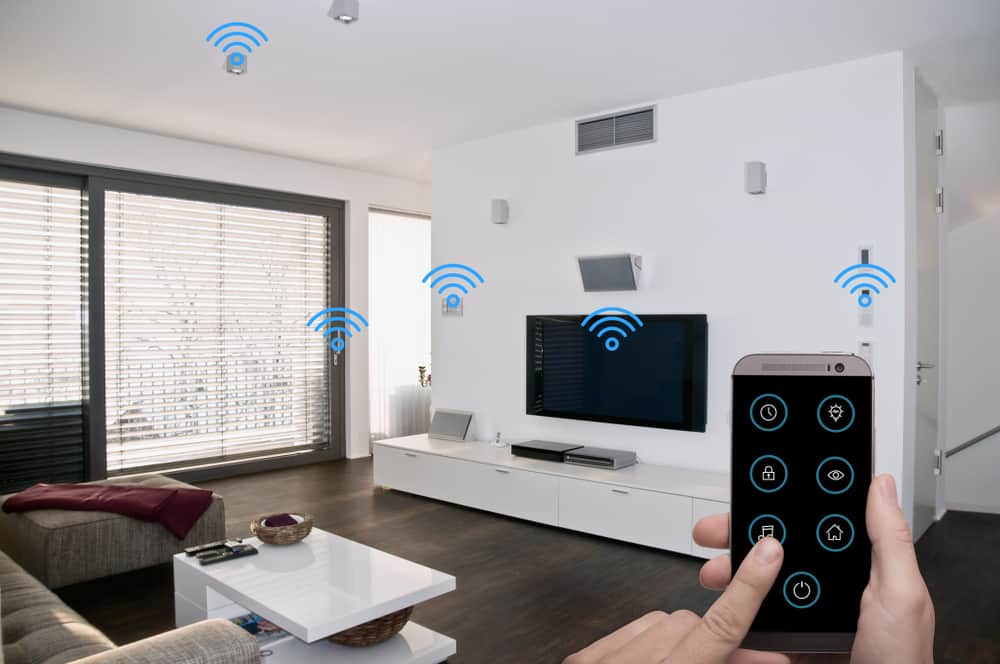
For a comprehensive overview of home automation, refer to this complete guide to home automation which explains how different smart systems can work together in a rental setting.
Best Practices for Automated Thermostat Timers in Rentals
To maximize the benefits of automated temperature control, STR hosts should keep these best practices in mind:
- Communicate with Guests: Leave clear instructions on how to use the thermostat and any restrictions on temperature settings.
- Set Reasonable Limits: Use lockout ranges to prevent guests from setting extreme temperatures that could damage the system or lead to excessive energy costs.
- Monitor Usage: Regularly review energy reports and adjust schedules based on seasonal trends and guest feedback.
- Maintain Your System: Keep your thermostat’s firmware updated and schedule regular HVAC maintenance to ensure reliability.
- Stay Informed: As regulations and technology evolve, stay updated on best practices and local requirements for STRs. For more on compliance, see short term rental zoning best practices.
Frequently Asked Questions
Can I automate thermostat timers if my rental has an older HVAC system?
Many smart thermostats are compatible with older heating and cooling systems, but it’s important to check the device’s compatibility before purchasing. Some systems may require a C-wire or an additional adapter for installation.
How do automated thermostat timers help reduce energy costs?
By scheduling temperature changes based on occupancy and guest turnover, automated timers prevent unnecessary heating or cooling. This targeted approach can significantly lower utility bills, especially in properties with frequent guest stays.
Are guests able to override automated thermostat settings?
Most smart thermostats allow guests to adjust the temperature within a set range. Hosts can configure lockout limits to prevent extreme changes, ensuring both comfort and protection for the HVAC system.
What happens if the Wi-Fi goes out at my rental?
Most smart thermostats will continue to operate on their last programmed schedule even if the Wi-Fi connection is lost. However, remote access and real-time adjustments will be unavailable until connectivity is restored.
Conclusion
Automating temperature control in your short-term rental is a practical step toward reducing costs, improving guest satisfaction, and simplifying property management. By choosing the right smart thermostat, setting up effective schedules, and integrating with other smart devices, you can create a seamless experience for both you and your guests. As the rental industry evolves, leveraging automation will help you stay competitive and efficient.