
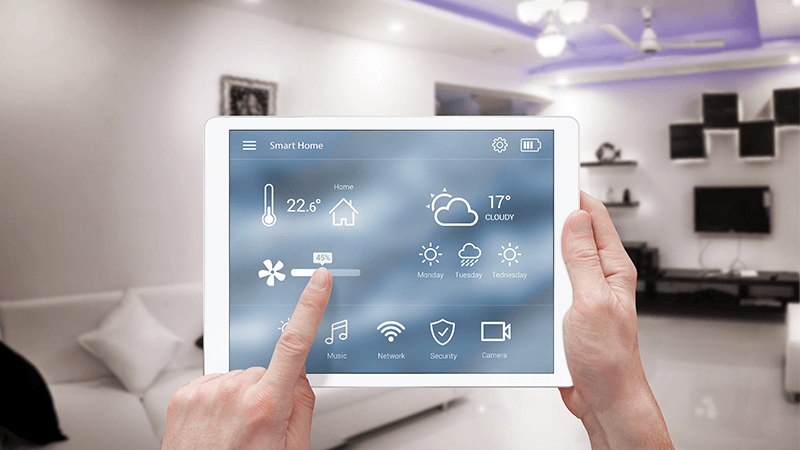

Maintaining the right indoor climate is essential for rental property owners and managers. Unchecked temperature fluctuations can lead to costly issues like frozen pipes, mold, or discomfort for tenants. With the rise of smart home technology, it’s now easier than ever to set up automated temperature monitoring and receive instant alerts if something goes wrong. This guide explains practical steps for setting up automated notifications, the benefits for landlords and tenants, and the best tools to use for reliable results.
Whether you manage a single vacation rental or multiple long-term properties, implementing automated temperature alerts can help protect your investment and improve tenant satisfaction. For those interested in broader property management strategies, you might also find value in exploring airbnb zoning strategy for investors to ensure your rentals are compliant and optimized for your market.
Why Automated Temperature Notifications Matter
Automated alerts for temperature changes offer several advantages for rental property owners:
- Prevent Property Damage: Early warnings about extreme cold or heat help prevent issues like frozen pipes or overheating, reducing repair costs.
- Enhance Tenant Comfort: Tenants appreciate a well-maintained environment, which can lead to better reviews and longer stays.
- Remote Monitoring: Owners and managers can keep an eye on properties from anywhere, reducing the need for frequent site visits.
- Energy Efficiency: Smart thermostats and sensors can help optimize heating and cooling, lowering utility bills.
For those managing short-term rentals, integrating these systems with other smart home features can further streamline operations and improve guest experiences.
Key Components for Setting Up Automated Temperature Alerts
To enable automated notifications, you’ll need a few core components:
- Smart Thermostat or Sensor: Devices like the Google Nest Thermostat or standalone Wi-Fi temperature sensors monitor indoor conditions and can trigger alerts.
- Internet Connectivity: A stable Wi-Fi connection is essential for devices to send data and notifications.
- Alert Platform: Most smart devices come with companion apps that allow you to set thresholds and receive push notifications, emails, or even SMS alerts.
- Integration Tools (Optional): Platforms like IFTTT or SmartThings can connect multiple devices and automate complex routines, such as shutting off HVAC systems or notifying maintenance teams.
For a comprehensive overview of home automation, this complete guide to home automation covers the basics, advanced integrations, and implementation tips.
Step-by-Step Guide to Automating Temperature Alerts
Setting up automated notifications is straightforward, especially with user-friendly smart home devices. Here’s how to get started:
1. Choose the Right Smart Device
Select a thermostat or sensor that supports remote monitoring and customizable alerts. Popular options include the Google Nest Thermostat, Ecobee, or standalone Wi-Fi temperature sensors. Look for features like mobile app support, easy installation, and compatibility with your preferred smart home ecosystem.
2. Install and Connect Your Device
Most smart thermostats and sensors are designed for DIY installation. Follow the manufacturer’s instructions to mount the device, connect it to your Wi-Fi network, and pair it with the companion app. Make sure the device is placed in a location that accurately reflects the property’s temperature, away from direct sunlight or drafts.
3. Configure Alert Settings
Using the device’s app, set your preferred temperature thresholds. For example, you might want to receive an alert if the temperature drops below 50°F (to prevent frozen pipes) or rises above 85°F (to avoid overheating). Most apps allow you to choose how you receive notifications—push alerts, emails, or text messages.
4. Integrate with Other Smart Home Systems
For advanced automation, consider integrating your temperature monitoring with other smart home devices. For example, you can create routines that automatically adjust the thermostat, turn on fans, or notify maintenance staff if an alert is triggered. Platforms like IFTTT, SmartThings, or Alexa Routines make these integrations accessible even for non-technical users.
Best Practices for Reliable Temperature Monitoring
- Test Alerts Regularly: Periodically verify that notifications are working and reaching the right contacts.
- Update Contact Information: Ensure alert recipients (yourself, property managers, or maintenance teams) are current.
- Monitor Battery Levels: If using battery-powered sensors, check and replace batteries as needed to prevent downtime.
- Review Data Trends: Many smart devices provide historical data. Use this to spot patterns, optimize HVAC settings, and identify potential issues before they escalate.
Integrating Temperature Alerts with Rental Property Management
Automated temperature notifications are especially valuable for landlords and managers of short-term rentals, vacation homes, or properties in regions with extreme weather. By combining temperature monitoring with other smart home features—such as smart locks, leak detectors, and security cameras—you can create a safer, more efficient rental operation.
For those interested in zoning and compliance, consider reviewing short term rental zoning best practices to ensure your smart home upgrades align with local regulations.
Common Challenges and How to Overcome Them
- Connectivity Issues: Ensure your property’s Wi-Fi is reliable. Consider using Wi-Fi extenders for larger homes or properties with thick walls.
- False Alerts: Calibrate your sensors and place them in optimal locations to reduce unnecessary notifications.
- Tenant Privacy: Be transparent with tenants about any monitoring devices and ensure compliance with privacy laws and lease agreements.
- Power Outages: Some smart sensors offer battery backup or cellular connectivity for critical alerts during outages.
Frequently Asked Questions
What types of properties benefit most from automated temperature notifications?
Any rental property can benefit, but these systems are especially useful for vacation rentals, remote properties, or homes in regions with extreme weather. They help prevent damage and ensure tenant comfort even when the property is unoccupied.
Do I need a smart thermostat, or will a basic sensor work?
Both options are effective. Smart thermostats offer additional features like remote temperature control and integration with other smart devices, while basic Wi-Fi sensors provide simple monitoring and alerts. Choose based on your needs and budget.
How can I make sure alerts reach the right person?
Set up multiple recipients in your device’s app, such as yourself, your property manager, or maintenance staff. Regularly update contact information and test alerts to confirm they are working as intended.
Conclusion
Automating temperature alerts is a practical way to protect your rental property, save money on repairs, and provide a better experience for tenants. By choosing the right devices, configuring alerts, and integrating with other smart home systems, you can manage your properties more efficiently and with greater peace of mind. As smart home technology continues to evolve, these solutions are becoming more accessible and affordable for landlords of all sizes.