

Managing lighting in short-term rentals can be a challenge, especially when it comes to ensuring lights are turned off after guests leave. Automating lighting for guest departures not only saves energy and reduces costs, but also streamlines property management and improves the guest experience. This guide explains practical steps and smart solutions for property owners and managers looking to implement automated lighting controls that align with check-out schedules.
By leveraging smart home technology, you can create seamless transitions between guest stays, minimize manual intervention, and enhance operational efficiency. Whether you operate a single vacation rental or manage multiple units, understanding how to automate lighting for check-out can make a significant difference in your property’s appeal and profitability.
For hosts interested in optimizing their rental operations, it’s also important to consider local regulations and best practices. For example, understanding airbnb zoning strategy for investors can help ensure your automation efforts comply with area requirements and support long-term success.
Why Automating Lighting for Guest Departures Matters
Automating lighting based on guest check-out times offers several advantages for short-term rental owners:
- Energy efficiency: Ensures lights are not left on unnecessarily, reducing utility bills.
- Security: Maintains a lived-in appearance when needed, or signals vacancy for cleaning staff.
- Convenience: Eliminates the need for manual checks or reminders to guests.
- Professionalism: Enhances the guest experience and demonstrates attention to detail.
With the growing popularity of smart home devices, integrating lighting automation into your rental property is more accessible than ever. Let’s explore the key components and steps to set up an effective system.
Choosing the Right Smart Lighting Solutions
The foundation of any automated lighting setup is the hardware. Here are some of the most common options:
- Smart bulbs: Replace standard bulbs with Wi-Fi or Zigbee-enabled versions that can be controlled remotely.
- Smart switches: Install switches that automate existing light fixtures, ideal for larger spaces or where bulbs can’t be easily swapped.
- Smart plugs: Use for lamps or smaller lighting fixtures that plug into outlets.
- Central hubs: Devices like Google Nest Hub or Amazon Echo can coordinate multiple smart devices and routines.
When selecting products, ensure they are compatible with your preferred smart home ecosystem and can be integrated with scheduling or automation platforms.

Integrating Lighting Automation with Guest Check-Out Schedules
The key to effective automation is syncing lighting controls with your property’s check-out times. Here’s how to automate lighting for check-out in a way that’s both reliable and flexible:
- Set up scheduled routines: Most smart lighting apps allow you to create routines based on time of day. For example, if check-out is at 11:00 AM, schedule lights to turn off at 11:15 AM to allow for any last-minute guest activity.
- Integrate with booking platforms: Some property management systems and smart home platforms can sync with booking calendars, automatically adjusting lighting based on reservation data.
- Use occupancy sensors: Motion or door sensors can detect when guests have left and trigger lights to turn off. This is especially useful if check-out times vary or guests depart early.
- Remote control and overrides: Maintain the ability to manually control lighting from your smartphone in case of unexpected changes or guest requests.
For more advanced automation, consider integrating lighting with other smart devices, such as thermostats or security systems. This creates a cohesive environment that responds to guest activity and maximizes efficiency.
Best Practices for Implementing Automated Lighting at Check-Out
To ensure your automation setup works smoothly, keep these best practices in mind:
- Test routines regularly to confirm lights turn off as expected after guest departures.
- Communicate with guests about any automated features, so they know what to expect and aren’t surprised if lights turn off shortly after check-out.
- Provide manual controls for guests who may need to override automation during their stay.
- Monitor energy usage and adjust automation schedules based on seasonal changes or guest feedback.
- Stay updated on local regulations and best practices, such as those outlined in short term rental zoning best practices, to ensure compliance and optimal operation.
Connecting Lighting Automation with Other Smart Home Features
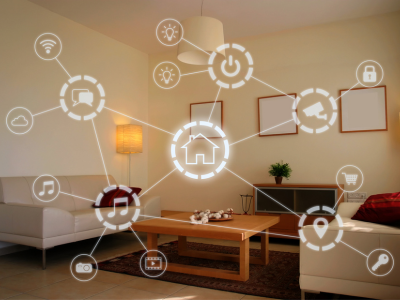
Lighting automation becomes even more powerful when combined with other smart home technologies. For example, integrating with smart locks can trigger lights to turn off when the door is locked after check-out. Similarly, pairing with thermostats can help manage energy use throughout the property.
Many hosts are exploring the benefits of smart home rentals with automated lighting and appliances to further streamline operations and attract tech-savvy guests.
Common Challenges and How to Overcome Them
While automating lighting for guest departures is straightforward in most cases, there are a few potential challenges to consider:
- Unpredictable guest behavior: Guests may leave before or after the scheduled check-out time. Using sensors or integrating with smart locks can help address this.
- Connectivity issues: Ensure your Wi-Fi network is robust and reaches all areas where smart devices are installed.
- Device compatibility: Choose products that work well together and are supported by your chosen automation platform.
- Privacy concerns: Clearly communicate to guests what devices are in use and how their data is handled.
By anticipating these issues and planning accordingly, you can create a reliable and guest-friendly automation system.
FAQ: Lighting Automation for Rental Properties
What are the best devices for automating lights in a short-term rental?
The best devices depend on your property’s layout and your preferred smart home ecosystem. Popular choices include smart bulbs, switches, and plugs from brands like Philips Hue, LIFX, and TP-Link. For seamless integration, consider devices that work with Google Home, Amazon Alexa, or Apple HomeKit.
Can I automate lights to turn off only after guests have actually left?
Yes. By using occupancy sensors or integrating with smart locks, you can trigger lights to turn off when the property is vacated, rather than relying solely on scheduled times. This approach is especially useful for properties with flexible check-out policies.
Is it necessary to inform guests about automated lighting features?
Absolutely. Transparency is important for guest comfort and trust. Include information about automated features in your welcome guide or check-in instructions, and offer manual overrides where possible.
How does lighting automation affect energy costs?
Automated lighting can significantly reduce energy consumption by ensuring lights aren’t left on when the property is unoccupied. Over time, this can lead to noticeable savings on utility bills, especially in larger or multi-unit properties.
Are there legal considerations for installing smart lighting in rentals?
Regulations vary by location. Always check local laws and guidelines, and consider reviewing resources like airbnb zoning for suburban areas to stay informed about compliance requirements.
Implementing automated lighting for guest departures is a practical step toward modernizing your rental property, improving efficiency, and enhancing the guest experience. With the right devices, thoughtful integration, and attention to best practices, you can create a smarter, more sustainable rental operation.