

The rise of smart technology has made automating home devices for rentals more accessible and practical than ever before. Landlords and property managers can now streamline property management, improve guest experiences, and boost security with a range of connected devices. Whether you manage a single apartment or a portfolio of short-term rentals, integrating automation can save time, reduce costs, and add value to your property.
This guide covers the essential steps and considerations for implementing smart home solutions in rental units. We’ll explore the benefits, device options, and best practices to ensure both you and your tenants enjoy a seamless, secure, and energy-efficient living environment.
For those looking to streamline guest arrivals, consider learning more about how to automate check-in for short-term rentals. This can be an excellent complement to your overall automation strategy.
Why Smart Technology Matters for Rental Properties
Implementing automated devices in rental homes is more than a trend—it’s a practical solution for modern property management. Smart locks, thermostats, lighting, and security systems can help reduce operational hassles, minimize energy waste, and provide peace of mind for both owners and tenants.
- Enhanced Security: Smart locks and cameras allow for remote access control and monitoring.
- Energy Efficiency: Automated thermostats and lighting systems help cut utility costs.
- Convenience: Guests and tenants enjoy features like keyless entry and voice-controlled environments.
- Remote Management: Landlords can resolve issues and monitor properties without being on-site.
These advantages are especially valuable in short-term rental markets, where guest turnover is high and operational efficiency is crucial.
Key Steps to Automating Home Devices for Rentals
Successfully integrating smart home automation into rental properties involves careful planning and the right device selection. Here’s a step-by-step approach to get started:
1. Assess Your Property’s Needs
Start by evaluating which areas of your property would benefit most from automation. Common priorities include entry access, climate control, lighting, and security. Consider your target tenant or guest profile—families, business travelers, or long-term renters may have different expectations.
If you’re interested in optimizing lighting, check out this resource on automating lights in STR for practical tips and device recommendations.
2. Choose Compatible Smart Devices
Select devices that are reliable, easy to use, and compatible with each other. Popular categories include:
- Smart Locks: Provide keyless entry and remote access control. Learn more about how smart locks work in STRs for detailed insights.
- Thermostats: Automate temperature settings for comfort and energy savings. For a deep dive, see this guide on automating thermostat for rentals.
- Lighting: Use smart bulbs or switches to automate schedules and scenes.
- Security Cameras and Sensors: Monitor activity and receive alerts for unusual events.
- Voice Assistants: Enable hands-free control for guests and tenants.
Always ensure devices are easy to reset and manage between tenants to protect privacy and maintain security.
3. Install and Configure Devices
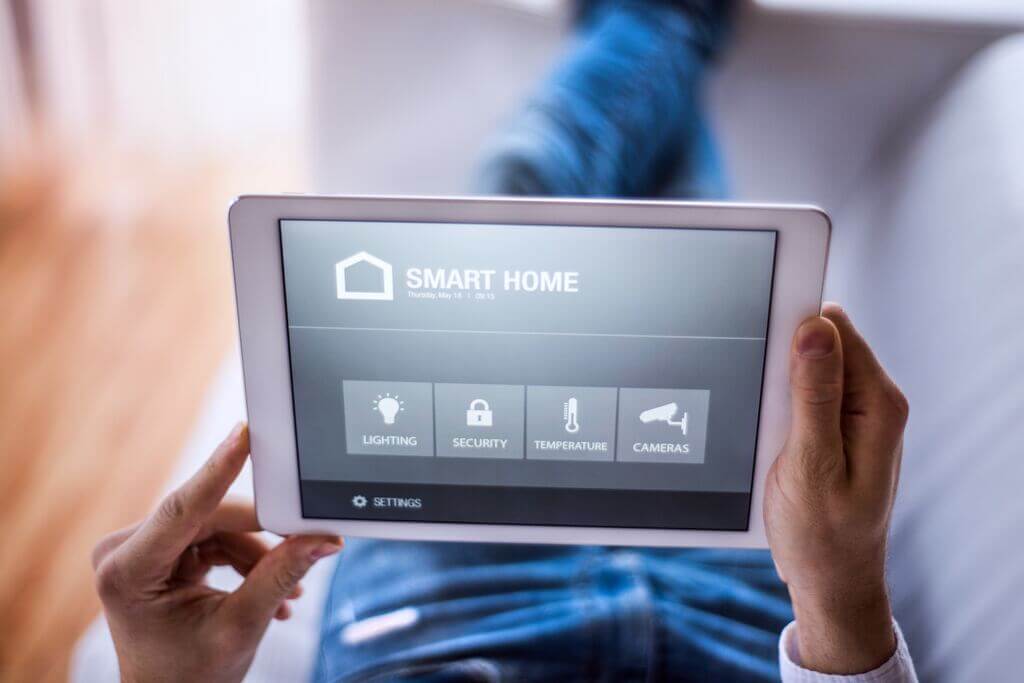
Installation should be straightforward, but always follow manufacturer instructions for safety and optimal performance. Many smart devices offer app-based setup and support integration with popular platforms like Google Home or Amazon Alexa.
After installation, configure settings to match your rental’s needs. For example, set up guest codes for smart locks or create automated schedules for lighting and temperature.
4. Educate Tenants and Guests
Clear instructions are key to ensuring tenants or guests can use smart features without confusion. Provide a simple guide or printed instructions in the property. This can include how to operate smart locks, adjust thermostats, or use voice assistants.
For properties focused on security, explore more about home automation for security to ensure your setup meets the latest standards.
5. Maintain and Update Systems
Regularly check devices for firmware updates and functionality. Reset access codes and clear device data between tenants to maintain privacy and security. Periodic reviews help prevent issues and keep your property competitive in the rental market.
Popular Smart Devices for Rental Automation
The range of available devices for automating home devices for rentals continues to expand. Here are some of the most popular options:
- Smart Thermostats: Devices like the Google Nest Thermostat allow for remote temperature control and energy savings.
- Video Doorbells: Products such as the Google Nest Doorbell provide enhanced security and visitor management.
- Smart Plugs: Automate appliances and monitor energy usage.
- Connected Lighting: Set schedules, scenes, and remote controls for lights throughout the property.
- Integrated Security Systems: Combine cameras, sensors, and alarms for comprehensive protection.
When choosing devices, prioritize those that are user-friendly, reliable, and easy to reset between tenancies.
Best Practices for Smart Home Integration in Rentals
To maximize the benefits of automating home devices for rentals, follow these best practices:
- Privacy and Security: Always reset devices and update access credentials between tenants.
- Documentation: Provide clear, concise instructions for every smart device in the property.
- Compliance: Ensure your setup complies with local laws and rental regulations, especially regarding surveillance devices.
- Remote Management: Use cloud-based platforms for monitoring and troubleshooting devices off-site.
- Guest Experience: Choose devices that enhance comfort and convenience without overwhelming users.
For a broader perspective on how automation is changing the industry, see this overview of how home automation is transforming the rental industry.
Frequently Asked Questions
What are the most important devices to automate in a rental property?
The most impactful devices typically include smart locks for secure, keyless entry; smart thermostats for energy management; and security cameras or sensors for monitoring. Lighting automation and smart plugs can also add significant value.
How do I protect tenant privacy when using smart devices?
Always inform tenants about any monitoring devices and their locations. Reset all devices and remove personal data between tenancies. Avoid installing cameras inside living spaces to respect privacy.
Can I automate devices in older properties?
Yes, most smart devices are designed for easy installation and can be retrofitted into older homes without major renovations. Ensure your property has a stable Wi-Fi connection and consider professional installation for more complex systems.