
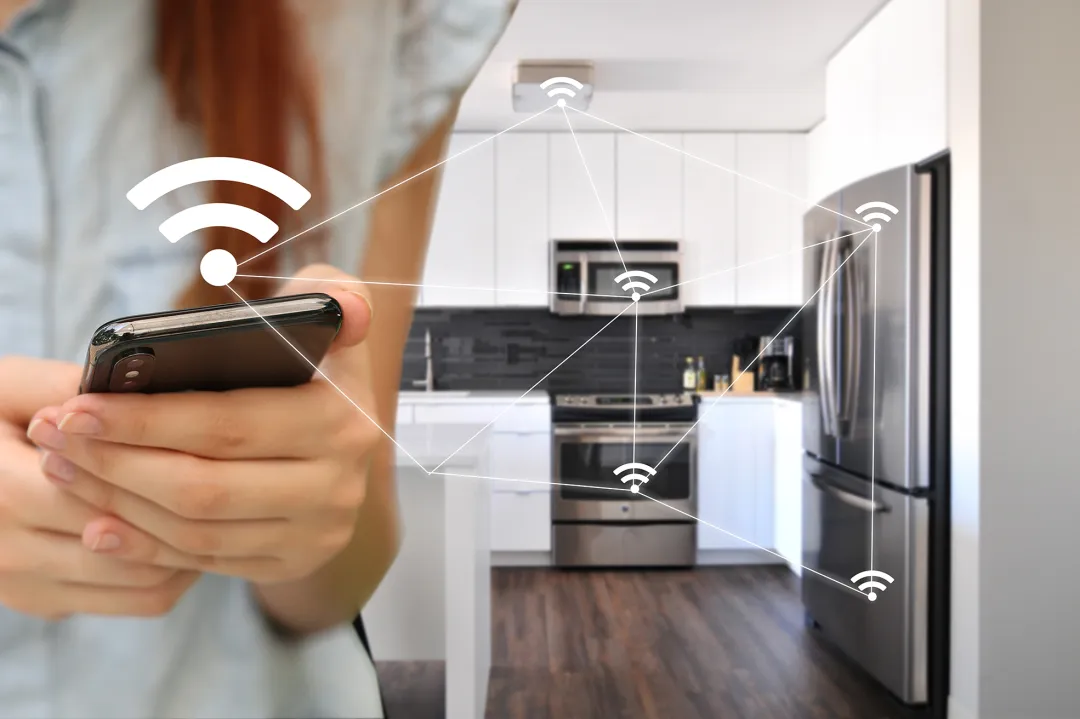

Short-term rental (STR) hosts are always looking for ways to improve guest comfort, streamline operations, and reduce energy costs. One of the most effective strategies is to automate temperature control for guests using smart home technology. Automated climate management not only enhances the guest experience but also helps property owners maintain control over energy usage and protect their investment.
In this article, you’ll discover practical steps for implementing automated temperature solutions in your rental property, the benefits of these systems, and how to choose the right devices for your needs. We’ll also cover integration tips, best practices, and answer common questions about smart thermostats and sensors for STRs.
For hosts managing multiple properties or scaling up, leveraging scalable rental sensor systems can further streamline temperature automation and monitoring across your portfolio.
Why Automate Climate Control in Short-Term Rentals?
Automating temperature settings offers several advantages for both hosts and guests. Here are some of the main reasons to consider upgrading your property with smart climate solutions:
- Enhanced guest comfort: Guests can easily adjust the temperature to their liking, often via a simple app or intuitive thermostat interface.
- Energy savings: Smart thermostats can detect when the property is vacant and automatically adjust settings to conserve energy, reducing utility bills.
- Remote management: Hosts can monitor and control temperature from anywhere, ensuring the property is comfortable before guest arrival and secure after checkout.
- Protection against misuse: Automated systems can prevent guests from setting extreme temperatures that could damage HVAC systems or lead to excessive costs.
- Data and insights: Many smart devices provide usage reports, helping hosts optimize energy consumption and identify maintenance needs.
Key Components for Automated Temperature Management
To successfully automate temperature control for guests, you’ll need a combination of smart devices and sensors. The most common components include:
- Smart thermostats: Devices like the Google Nest Thermostat allow for programmable, remote, and automated temperature adjustments.
- Occupancy sensors: These detect when guests are present and can trigger temperature changes accordingly.
- Door and window sensors: When integrated, these can pause heating or cooling if a door or window is left open, preventing energy waste.
- Centralized management platforms: For hosts with multiple units, a platform that integrates all sensors and thermostats simplifies control and monitoring.
For more on integrating sensors into your property, see our guide on property manager smart sensors.
Choosing the Right Smart Thermostat for Your STR
When selecting a smart thermostat, consider compatibility, ease of use, and integration with other devices. Look for features such as:
- Remote access: The ability to adjust settings from your phone or computer.
- Guest mode: Some thermostats offer a simplified interface or temporary access for guests.
- Scheduling: Set temperature schedules based on check-in and check-out times.
- Integration: Ensure the thermostat works with your property management system or other smart devices.
- Energy reports: Access to data on usage and savings can help you optimize your setup.
Popular options like the Google Nest Thermostat are widely used in STRs for their reliability and user-friendly controls.
Integrating Sensors and Automation for Maximum Efficiency
To fully benefit from automated temperature control, consider adding occupancy and environmental sensors. These devices can:
- Automatically adjust heating or cooling when guests arrive or leave.
- Pause climate control if windows or doors are open, preventing wasted energy.
- Alert you to unusual temperature fluctuations or HVAC issues.
Combining these sensors with a smart thermostat creates a seamless, energy-efficient system that adapts to guest behavior and property conditions. For hosts interested in even more advanced solutions, integrating a smart alert system for hosts can provide instant notifications for property events, including temperature anomalies.

Best Practices for Setting Up Automated Temperature Systems
To ensure a smooth experience for both you and your guests, follow these best practices when implementing automated temperature solutions:
- Provide clear instructions: Leave a simple guide for guests on how to use the thermostat and adjust settings if needed.
- Set reasonable limits: Program the thermostat to prevent extreme temperature changes that could damage equipment or drive up costs.
- Monitor remotely: Use your smart home app to check property conditions between stays and make adjustments as necessary.
- Integrate with access control: Connect your climate system with rental property access sensors or Airbnb smart access control to automate temperature changes based on guest entry and exit.
- Regularly update software: Keep your devices’ firmware up to date to benefit from security patches and new features.
Understanding Smart Home Technology for STRs
Smart home devices have become increasingly popular in the rental industry. These technologies offer more than just convenience—they can help hosts save money, improve security, and deliver a better guest experience. To learn more about the broader concept of smart homes and how they work, check out this comprehensive smart home overview.
FAQ: Automating Temperature for Rental Guests
What are the main benefits of automated temperature control in short-term rentals?
Automated systems improve guest satisfaction by allowing easy climate adjustments, reduce energy costs by optimizing usage, and give hosts remote management capabilities. They also help prevent HVAC misuse and provide valuable usage data.
Can guests override automated temperature settings?
Most smart thermostats allow guests to adjust the temperature within preset limits. Hosts can configure these boundaries to balance comfort and energy efficiency, ensuring guests have control without risking excessive costs or equipment damage.
How difficult is it to install a smart thermostat in a rental property?
Installation is generally straightforward, especially with popular models designed for DIY setup. Most devices come with step-by-step instructions and can be integrated with existing HVAC systems. For complex installations, professional help may be beneficial.
Do automated temperature systems work with older HVAC units?
Many smart thermostats are compatible with a wide range of HVAC systems, but it’s important to check the manufacturer’s compatibility list before purchasing. Some older systems may require additional adapters or professional installation.
Is it possible to automate temperature control across multiple properties?
Yes, with the right platform, hosts can manage temperature settings and monitor usage across several units from a single dashboard. This is especially useful for property managers or owners with multiple listings.