
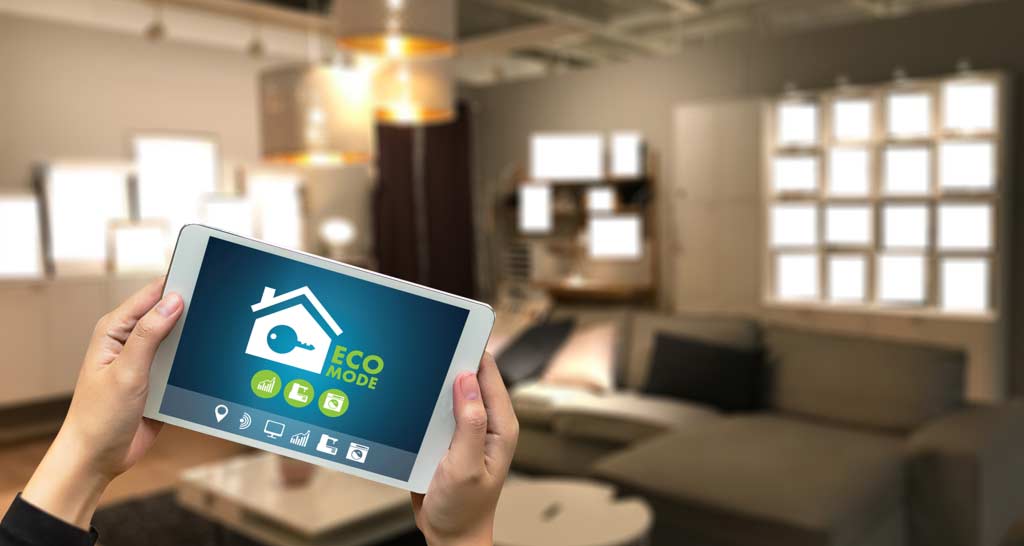

Managing energy use and guest comfort in short-term rentals (STRs) is a top priority for hosts and property managers. One of the most effective ways to achieve this balance is by learning how to schedule thermostat for STR properties. Smart thermostats and automated schedules can help reduce utility costs, maintain optimal temperatures, and simplify turnover between guests. This guide will walk you through the key steps, considerations, and best practices for setting up and optimizing thermostat schedules in your rental property.
Whether you’re new to smart home technology or looking to refine your current setup, understanding the basics of programmable thermostats and automation can make a significant difference. Along the way, we’ll highlight related resources, such as automating thermostat for rentals, to help you build a comprehensive approach to smart rental management.
Why Automate Temperature Control in Short-Term Rentals?
Automating your rental’s climate control offers several advantages. First, it helps maintain a consistent and comfortable environment for guests, which can lead to better reviews and repeat bookings. Second, it allows you to manage energy consumption efficiently, especially during vacancies or between guest stays. By leveraging programmable thermostats, you can set temperature schedules that align with check-in and check-out times, reducing unnecessary heating or cooling.
Smart thermostat scheduling also supports remote management. If you operate multiple properties or live far from your rental, being able to adjust settings from your phone or computer saves time and prevents issues before guests arrive. For a broader look at smart home integration, see this overview of home automation systems.
Choosing the Right Thermostat for Your Rental
Before you can set up schedules, you’ll need a compatible device. Most modern smart thermostats, such as the Google Nest, Ecobee, or Honeywell models, support programmable schedules and remote access. When selecting a thermostat for your STR, consider the following:
- Compatibility with your HVAC system (check voltage and wiring requirements).
- Remote access via app or web dashboard.
- Guest-friendly interface that allows easy manual adjustments if needed.
- Integration with other smart home devices, such as smart locks or lighting (see more on automating lights in STR).
- Energy-saving features like occupancy sensors or learning algorithms.
Setting Up Thermostat Schedules for STRs
Once your smart thermostat is installed, the next step is to configure schedules tailored to your rental’s occupancy patterns. Here’s a step-by-step approach to how to schedule thermostat for STR properties:
-
Determine Typical Check-In and Check-Out Times:
Most STRs have standard arrival and departure windows. Set your thermostat to reach a comfortable temperature (e.g., 70°F/21°C in winter, 74°F/23°C in summer) about an hour before check-in.
-
Adjust for Vacancies:
Program the thermostat to switch to an energy-saving mode after check-out. For example, set the temperature higher in summer or lower in winter when the property is empty.
-
Account for Local Climate:
If your area experiences extreme temperatures, consider more gradual adjustments to avoid overworking the HVAC system.
-
Allow Guest Overrides:
Most guests appreciate the ability to make minor adjustments. Set reasonable minimum and maximum limits to prevent excessive changes.
-
Monitor and Refine:
Review energy usage and guest feedback regularly. Adjust your schedules as needed to optimize comfort and efficiency.

Best Practices for Smart Thermostat Scheduling
To get the most from your smart thermostat, follow these proven strategies:
- Use Geofencing or Occupancy Detection: Some thermostats can detect when guests have left and automatically adjust settings. This reduces manual intervention and saves energy.
- Integrate with Other Smart Devices: Pairing your thermostat with smart locks or lighting can trigger temperature changes based on guest entry or exit. For more on security integration, see home automation for security.
- Educate Guests: Leave simple instructions in your welcome guide, letting guests know how to adjust the temperature within set limits.
- Monitor Remotely: Use your thermostat’s app to check and adjust settings between stays, especially if your cleaning team reports early departures or late check-outs.
- Regularly Update Schedules: Adjust your programmed settings seasonally or as you notice trends in guest preferences.
Integrating Thermostat Scheduling with Other Rental Automation
Smart thermostat scheduling is just one part of a larger automation strategy for rental properties. By combining climate control with automated lighting, smart locks, and remote check-in processes, you can streamline operations and enhance the guest experience. For example, you might coordinate your thermostat schedule with how to automate check-in systems, ensuring the property is comfortable the moment guests arrive.
Many property managers find value in linking climate control with other smart features. If you’re interested in a deeper dive into these topics, explore guides on how smart locks work in STRs and other automation solutions.
Common Challenges and Troubleshooting Tips
While smart thermostats are generally reliable, you may encounter occasional issues. Here are some common challenges and how to address them:
- Wi-Fi Connectivity Problems: Ensure your thermostat is within range of your router and that your network is stable. Consider a mesh Wi-Fi system for larger properties.
- Incorrect Scheduling: Double-check time zones and AM/PM settings. Test your programmed schedules during a vacancy to confirm they work as intended.
- Guest Confusion: Provide clear, simple instructions for manual adjustments. Use printed guides or digital welcome books.
- System Compatibility: If your HVAC system is older, verify that your chosen thermostat supports its wiring and voltage requirements.
FAQ
What Is the Best Temperature to Set for Guests in a Short-Term Rental?
Most guests are comfortable with temperatures between 68–72°F (20–22°C) in winter and 72–76°F (22–24°C) in summer. Adjust based on your local climate and guest feedback.
Can Guests Override the Thermostat Schedule?
Yes, most smart thermostats allow guests to make temporary adjustments within preset limits. This ensures comfort while maintaining energy efficiency.
How Can I Automate Thermostat Settings Based on Guest Check-In?
Many smart thermostats can be integrated with check-in systems or smart locks. When a guest unlocks the door, the thermostat can automatically switch to a comfortable setting. For more on integrating automation, see resources on automated check-in and automating thermostat for rentals.
Is It Difficult to Install a Smart Thermostat in a Rental Property?
Installation is straightforward for most modern HVAC systems. However, always check compatibility and consider hiring a professional if your system is older or has complex wiring.
Conclusion
Setting up and managing thermostat schedules in your short-term rental is a practical way to enhance guest satisfaction and control energy costs. By choosing the right device, programming thoughtful schedules, and integrating with other smart home features, you can create a seamless and efficient rental experience. Continue exploring automation options to further streamline your property management and stay ahead in the competitive STR market.