
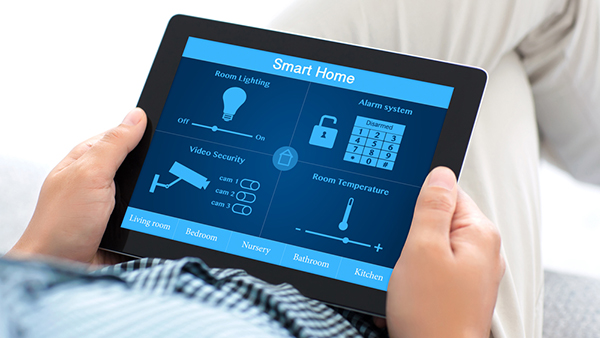

Providing clear, timely welcome instructions is essential for any host or property manager aiming to deliver a seamless guest experience. As short-term rentals and vacation properties become more popular, the need to streamline communication and reduce manual effort has never been greater. Automating guest welcome instructions not only saves time but also ensures consistency, reduces errors, and helps guests feel at home from the moment they arrive.
In this guide, you’ll discover practical ways to set up automated welcome messages, leverage smart home technology, and integrate tools that make the check-in process effortless. Whether you manage a single property or multiple listings, learning how to automate welcome instructions can significantly improve guest satisfaction and operational efficiency.
If you’re also navigating local regulations or expanding your rental portfolio, you may find it helpful to review the airbnb zoning strategy for investors to ensure your automation efforts align with compliance requirements.
Why Automating Guest Instructions Matters
Manual messaging can be time-consuming and prone to mistakes, especially as guest volume increases. By automating the delivery of arrival details, house rules, and check-in procedures, you can:
- Save valuable time by eliminating repetitive tasks
- Enhance consistency so every guest receives the same high-quality information
- Reduce guest confusion and support requests
- Improve reviews by providing a smooth, professional experience
Automation also allows you to scale your business more easily, freeing you to focus on guest relations and property improvements.
Key Steps to Set Up Automated Welcome Messages
Getting started with automation involves a few essential steps. Here’s how to create a system that works reliably for both you and your guests.
1. Choose the Right Communication Platform
Most property owners use platforms like Airbnb, Vrbo, or Booking.com, which offer built-in messaging tools. These platforms allow you to set up automated templates that send at specific times, such as after booking confirmation or prior to check-in.
For those managing direct bookings or multiple channels, consider using property management software (PMS) like Guesty, Hostfully, or Lodgify. These tools centralize communication, automate messages, and sync calendars across platforms.
2. Craft Clear and Comprehensive Instructions
Your automated welcome message should include all the essential information a guest needs for a smooth arrival. Typical details include:
- Property address and directions
- Check-in and check-out times
- Entry instructions (key codes, smart locks, etc.)
- Wi-Fi details
- Parking information
- House rules and emergency contacts
Keep the language friendly and concise. Use bullet points or numbered lists for clarity, and avoid overwhelming guests with unnecessary details.
3. Schedule Delivery for Maximum Impact
Timing is crucial. Most hosts send the main welcome instructions 24–48 hours before arrival, with a follow-up reminder on the day of check-in. Some platforms allow you to trigger messages based on booking status or guest actions, such as completing payment or submitting ID verification.
Integrating Smart Home Technology for Seamless Entry
Smart devices can take automation a step further by enabling self-check-in and enhancing security. Products like smart locks, video doorbells, and thermostats not only make life easier for guests but also give hosts peace of mind.
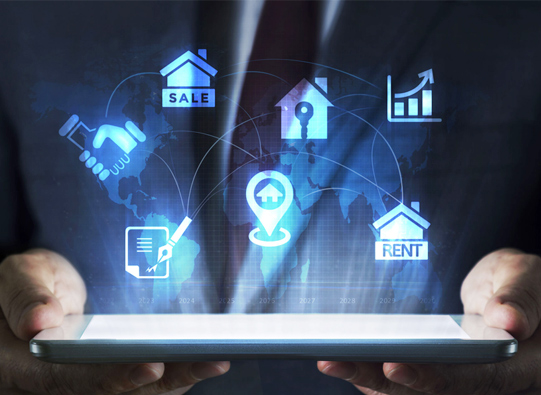
For example, a smart lock can generate unique codes for each guest, sent automatically via your PMS or messaging platform. Video doorbells provide added security and allow you to verify arrivals remotely. Devices like the Google Nest Thermostat help guests control their environment, improving comfort and energy efficiency.
To learn more about the benefits and features of connected devices, check out this comprehensive overview of smart home technology.
Best Practices for Automated Guest Communication
To ensure your automated system delivers the best results, follow these proven strategies:
- Test your messages by sending them to yourself or a trusted friend to catch errors or unclear instructions.
- Personalize where possible—use guest names and reference specific booking details to make communications feel less generic.
- Update instructions regularly to reflect changes in property access, amenities, or local regulations.
- Provide backup contact methods in case guests have questions or encounter issues with automated systems.
- Monitor guest feedback and adjust your messages based on common questions or suggestions.
Self-Check-In and Contactless Arrivals
The rise of self-check-in has made automation even more valuable. By combining digital instructions with smart entry systems, you can offer guests flexibility and privacy while reducing the need for in-person interactions.
Automated instructions can include links to digital guidebooks, video walkthroughs, or interactive maps. This not only helps guests find their way but also reduces the pressure on hosts to be available at all hours.
For those operating in suburban or rural areas, it’s important to consider local rules and best practices. The airbnb zoning for suburban areas guide offers insights for hosts looking to optimize their automation strategy while staying compliant.
Common Challenges and How to Overcome Them
While automating guest instructions offers many benefits, there are a few challenges to keep in mind:
- Technical issues with smart devices or messaging platforms can disrupt the guest experience. Always have a manual backup plan.
- Language barriers may require you to offer instructions in multiple languages or use translation tools.
- Changing regulations can impact what information you need to provide or how you handle guest data. Stay updated with local laws and adjust your messages as needed.
By proactively addressing these issues, you can maintain a high standard of service and avoid common pitfalls.
FAQ: Automating Welcome Instructions for Guests
What information should be included in automated welcome instructions?
Automated instructions should cover the property address, directions, check-in and check-out times, entry procedures (such as smart lock codes), Wi-Fi details, parking information, house rules, and emergency contacts. Including all relevant details ensures guests have everything they need for a smooth arrival.
Can I personalize automated messages for each guest?
Yes, most property management systems and booking platforms allow you to use dynamic fields, such as guest names or booking dates, to personalize messages. This helps create a more welcoming and tailored experience, even when using automation.
How do I handle last-minute bookings or changes?
Automated systems can be configured to send instructions immediately after a booking is confirmed, regardless of timing. For last-minute changes, ensure your templates are up to date and monitor your communication channels so you can respond quickly if needed.
By following these strategies and leveraging the right tools, you can master how to automate welcome instructions and deliver a consistently excellent guest experience, no matter how many properties you manage.