

Streamlining the guest experience is a top priority for property owners and managers in the short-term rental industry. One of the most effective ways to achieve this is by automating the delivery of check-in instructions. Not only does this reduce manual work and human error, but it also ensures guests receive timely, accurate information—improving satisfaction and reducing support requests.
In this article, you’ll discover practical steps and tools to automate check-in instructions for your rental property. We’ll cover the benefits, essential technologies, and actionable strategies to help you save time and deliver a seamless arrival process for every guest. If you’re also interested in optimizing your rental’s compliance and profitability, consider exploring our airbnb zoning strategy for investors guide for valuable insights.

Why Automating Check-In Instructions Matters
Manual communication can be time-consuming and prone to mistakes. By leveraging automation, you ensure that every guest receives the right information at the right time, regardless of your availability. Here are some key benefits:
- Consistency: Automated messages eliminate the risk of forgetting important details or sending outdated information.
- Efficiency: Save hours each week by reducing repetitive tasks and minimizing guest confusion.
- Professionalism: Guests appreciate prompt, clear instructions, which can lead to better reviews and repeat bookings.
- Scalability: As your portfolio grows, automation makes it easy to manage multiple properties without increasing your workload.
Key Tools for Automating Guest Arrival Information
There are several ways to implement automation, ranging from simple messaging platforms to advanced property management systems (PMS). Here are some of the most effective options for delivering automated check-in instructions:
- Channel Manager or PMS: Most modern PMS platforms offer automated messaging features. You can schedule messages based on reservation status, check-in date, or guest profile.
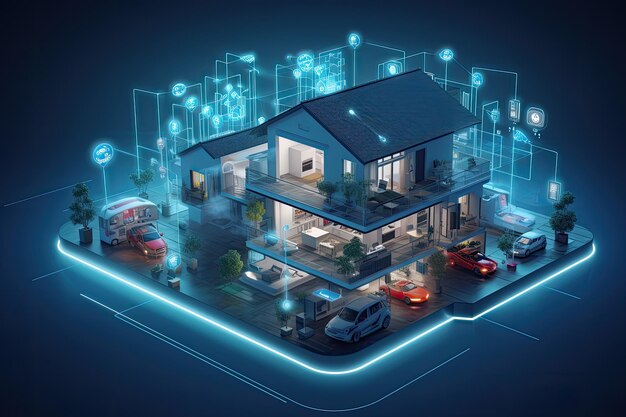
- Smart Home Devices: Integrating smart locks, thermostats, and cameras can enhance security and convenience. For more on this, see Google’s guide to smart home solutions for renters.
- Template Messaging Apps: Tools like WhatsApp Business or SMS automation services allow you to send pre-written instructions triggered by booking events.
- Email Automation: Platforms like Mailchimp or property-specific tools can deliver scheduled emails with detailed arrival steps, access codes, and local tips.
Setting Up Automated Messaging for Check-In
To create a smooth arrival process, follow these steps to automate your guest communications:
- Choose Your Platform: Decide whether you’ll use your booking platform’s built-in tools, a PMS, or a third-party messaging app.
- Draft Clear Instructions: Write concise, step-by-step directions for accessing the property, including entry codes, parking details, and Wi-Fi information.
- Schedule Delivery: Set up triggers so that instructions are sent automatically—typically 24 to 48 hours before arrival. Most systems allow you to customize timing based on guest preferences or booking source.
- Include Visuals: Attach photos or diagrams if possible. Visual aids help guests navigate unfamiliar properties with confidence.
- Test Regularly: Periodically review your automated messages to ensure accuracy, especially after making changes to locks or property features.
Integrating Smart Devices for Seamless Entry
Smart home technology can further enhance the automation of check-in procedures. Devices such as smart locks and video doorbells not only provide added security but also allow for contactless entry and real-time monitoring. For example, a smart lock can generate unique codes for each guest, which are automatically sent via your messaging platform.
Consider pairing your automation strategy with devices like the Google Nest Thermostat or Google Nest Doorbell, which can be managed remotely and integrated into your property management workflow. This approach not only streamlines guest arrivals but also helps you monitor energy use and property access.
Best Practices for Automated Guest Communication
While automation can transform your guest experience, it’s important to maintain a human touch. Here are some best practices to follow:
- Personalize When Possible: Use guest names and reference their booking details to make messages feel tailored.
- Provide Support Contacts: Always include a way for guests to reach you or your team in case they have questions or issues upon arrival.
- Keep Information Up to Date: Regularly review and update your instructions to reflect any changes in property access or amenities.
- Follow Up: Consider sending a follow-up message after check-in to ensure everything went smoothly and to address any immediate concerns.
Expanding Automation Beyond Check-In
Once you’ve mastered automating arrival instructions, consider extending automation to other aspects of your rental business. Automated checkout reminders, review requests, and maintenance notifications can further reduce manual work and improve guest satisfaction.
For hosts managing properties in regulated areas, combining automation with a solid understanding of short term rental zoning best practices can help ensure compliance and smooth operations.
Frequently Asked Questions
What information should be included in automated check-in instructions?
Effective automated messages should cover entry codes or key pickup details, parking instructions, Wi-Fi credentials, emergency contacts, and any special notes about the property. Including clear directions and photos can help guests navigate the arrival process with ease.
How can I ensure guests receive their instructions on time?
Use scheduling features within your PMS or messaging platform to trigger delivery based on the reservation date. Test your automation regularly to confirm messages are sent as expected, and always have a backup communication method in case of technical issues.
Are smart locks necessary for automated check-in?
While not required, smart locks greatly enhance the automation process by enabling contactless entry and unique access codes for each guest. They also improve security and reduce the risk of lost keys or unauthorized access.
Conclusion
Implementing automated check-in instructions is a practical way to boost efficiency, guest satisfaction, and professionalism in your rental business. By choosing the right tools, integrating smart devices, and following best practices, you can deliver a seamless arrival experience every time. As you refine your approach, don’t forget to stay informed about local regulations and leverage resources like our guides on airbnb zoning for suburban areas to support your business growth.