

Managing indoor temperature is a key factor in ensuring a welcoming environment for guests, whether you’re hosting in a short-term rental, a guesthouse, or your own home. Advances in smart home technology now make it easier than ever to automate thermostat for comfort, saving energy and providing a consistently pleasant experience for visitors. This article explores practical steps and strategies to set up automated climate control, highlights the benefits for both hosts and guests, and offers actionable tips for integrating these solutions into your property.
For property owners, especially those operating in the short-term rental market, automating your thermostat can also help you comply with local regulations and optimize your property’s appeal. If you’re interested in maximizing your rental’s potential, you may also want to review resources like the airbnb zoning strategy for investors to ensure your upgrades align with local guidelines and best practices.

Why Smart Thermostats Enhance Guest Experience
Modern travelers expect comfort and convenience. By implementing automated thermostat solutions, hosts can deliver a consistently pleasant indoor climate without manual intervention. Smart thermostats learn guest preferences, adjust settings based on occupancy, and allow remote management, making it easier to maintain optimal conditions even when you’re not on-site.
- Personalized comfort: Devices can be pre-programmed or set to adapt to guest preferences, ensuring the space is always at a comfortable temperature.
- Energy efficiency: Automation reduces energy waste by adjusting heating or cooling when the property is vacant.
- Remote access: Hosts can monitor and control settings from anywhere, providing quick responses to guest requests.
- Positive reviews: Comfortable guests are more likely to leave favorable feedback, boosting your rental’s reputation.
Choosing the Right Smart Thermostat for Your Property
Selecting a device that fits your needs is the first step in automating temperature control. Look for models compatible with your HVAC system and those that offer features like scheduling, geofencing, and integration with other smart devices. Popular options such as the Google Nest Thermostat and Ecobee are known for their ease of use and reliability.
Consider the following when making your selection:
- Compatibility: Ensure the thermostat works with your heating and cooling system.
- Ease of use: Choose a model with an intuitive interface for both hosts and guests.
- Remote management: Opt for devices that support app-based control and monitoring.
- Integration: If you have other smart home devices, select a thermostat that can connect with them for seamless automation.
Setting Up Automation for Maximum Comfort
Once you’ve chosen a suitable device, the next step is to configure it for automated operation. Most smart thermostats offer guided setup through a mobile app, making the process straightforward. Here’s how to get started:
- Install the thermostat: Follow the manufacturer’s instructions for installation. If you’re unsure, consider hiring a professional to ensure safety and compatibility.
- Connect to Wi-Fi: Link the device to your home network for remote access and updates.
- Download the app: Use the official app to manage settings, create schedules, and monitor usage.
- Set temperature schedules: Program the thermostat to adjust temperatures based on typical check-in and check-out times, or use occupancy sensors for dynamic adjustments.
- Enable geofencing: Some models can detect when guests arrive or leave, automatically switching modes for energy savings and comfort.
- Integrate with other devices: Connect your thermostat to smart locks, lights, or security systems for a fully automated guest experience.
Best Practices for Automating Thermostat Settings
To get the most out of your automated system, follow these proven strategies:
- Pre-arrival adjustments: Set the temperature to a comfortable level before guests check in, making a great first impression.
- Seasonal programming: Adjust schedules for summer and winter to maintain comfort and efficiency.
- Guest override: Allow guests to make temporary changes during their stay, but ensure settings revert after checkout.
- Monitor remotely: Use the app to check on temperature and energy usage, and respond quickly to guest feedback.
- Educate guests: Leave simple instructions or a quick guide on how to use the thermostat, ensuring they feel in control.
Integrating Thermostat Automation with Broader Home Systems
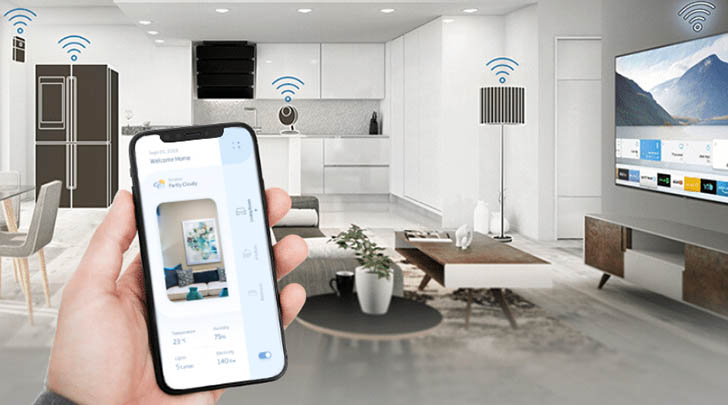
For hosts interested in a more comprehensive smart home setup, integrating your thermostat with other automation tools can further enhance guest comfort and operational efficiency. For example, linking your climate control with smart lighting or occupancy sensors can create a seamless experience where the environment adjusts automatically as guests move through the property.
To learn more about the possibilities and technical aspects of home automation, consider reviewing this complete guide to home automation for an in-depth overview of available technologies and integration strategies.
Common Challenges and How to Overcome Them
While automating your thermostat offers many advantages, there are a few common obstacles to be aware of:
- Wi-Fi reliability: Smart thermostats require a stable internet connection. Invest in a reliable router and consider backup solutions for critical systems.
- Guest confusion: Some guests may be unfamiliar with smart devices. Providing clear instructions and a quick reference guide can minimize confusion.
- Privacy concerns: Ensure that any data collected by smart devices is handled responsibly and that guests are informed about what is being monitored (e.g., occupancy sensors, not cameras).
- System compatibility: Double-check that your HVAC system supports the chosen thermostat model to avoid installation issues.
FAQ: Thermostat Automation for Guest Comfort
Can guests adjust the temperature if they want a different setting?
Yes, most smart thermostats allow guests to make temporary adjustments during their stay. Hosts can configure settings to revert to default after checkout, ensuring the property is ready for the next visitor.
Is it possible to automate thermostats in older properties?
In many cases, yes. Most modern smart thermostats are compatible with a wide range of HVAC systems. However, it’s important to check compatibility before purchasing. If your system is particularly old, you may need an adapter or professional installation.
How does automating the thermostat save energy?
Automated systems can detect when the property is vacant and adjust temperatures accordingly, reducing unnecessary heating or cooling. Scheduling and occupancy sensors help minimize energy waste, which can lower utility bills and reduce your environmental impact.
Are there legal or regulatory considerations for installing smart thermostats in rentals?
While most areas allow smart thermostat installation, it’s wise to review local guidelines, especially for short-term rentals. For more information on compliance and best practices, see resources like short term rental zoning best practices.
Conclusion
Upgrading to an automated thermostat system is a practical way to enhance guest satisfaction, improve energy efficiency, and streamline property management. By following the steps outlined here and leveraging the latest smart home technologies, hosts can provide a consistently comfortable environment that stands out in today’s competitive rental market. Whether you’re just starting or looking to optimize your existing setup, investing in automation is a smart move for both comfort and convenience.