

Managing indoor temperatures efficiently is a key factor in reducing energy costs and maintaining comfort in any property. With the rise of smart home technology, it’s now easier than ever to set up automated routines that optimize heating and cooling. Learning how to automate thermostat schedules for efficiency can help homeowners, landlords, and short-term rental operators save money and create a better living experience.
Whether you’re looking to cut utility bills, reduce your environmental impact, or simply make your home smarter, automating your climate control is a practical step. This article explores the benefits, methods, and best practices for setting up automated temperature routines using modern thermostats and smart home platforms.

For property managers and investors, especially those involved in short-term rentals, integrating smart scheduling can also support compliance with local regulations and improve guest satisfaction. If you’re interested in broader strategies for managing short-term rental properties, consider reviewing resources like airbnb zoning strategy for investors to enhance your operational approach.
Understanding Thermostat Automation and Its Benefits
Automating your thermostat means programming it to adjust temperatures according to a set schedule or in response to real-time conditions. This can be as simple as setting fixed times for heating and cooling, or as advanced as using sensors and geofencing to react to occupancy and weather changes.
- Energy Savings: Automated schedules prevent unnecessary heating or cooling when no one is home, lowering energy consumption.
- Consistent Comfort: Rooms are always at the right temperature when needed, without manual adjustments.
- Convenience: Once set, routines run automatically, freeing you from daily thermostat tweaks.
- Remote Management: Many smart thermostats allow changes from anywhere via smartphone apps.
Choosing the Right Smart Thermostat for Automated Schedules
The first step in improving efficiency is selecting a thermostat that supports advanced scheduling and automation features. Leading brands like Google Nest, Ecobee, and Honeywell offer models that integrate with popular smart home platforms.
When evaluating options, look for these features:
- Customizable Schedules: Ability to set different temperatures for various times of day and days of the week.
- Learning Capabilities: Some devices adapt to your habits and optimize settings automatically.
- Integration: Compatibility with voice assistants and other smart devices for broader automation.
- Remote Access: Control and monitor your thermostat from your phone or computer.
Setting Up Automated Temperature Routines
Once you have a compatible device, it’s time to create schedules that maximize both comfort and savings. Here’s a step-by-step approach to programming your thermostat for optimal performance:
- Assess Your Daily Patterns: Identify when your home is occupied and when it’s empty. For rental properties, consider typical guest check-in and check-out times.
- Set Baseline Schedules: Program lower heating or higher cooling during sleeping hours and when the property is vacant.
- Use Smart Features: Enable geofencing, motion sensors, or learning algorithms if available. These features can adjust settings automatically based on presence or learned behavior.
- Integrate with Other Devices: Connect your thermostat to smart locks, occupancy sensors, or home automation hubs for more dynamic control.
- Monitor and Adjust: Review energy reports and adjust schedules as needed for seasonal changes or guest feedback.
For those managing multiple units or rental properties, automating schedules can be a significant time-saver. It also helps ensure compliance with local ordinances regarding energy use and guest comfort, which is especially relevant in regulated markets. If you operate in suburban areas, you may find additional insights in guides like airbnb zoning for suburban areas.
Best Practices for Maximizing Energy Efficiency
To get the most out of your automated thermostat, follow these proven strategies:
- Seasonal Adjustments: Update your schedules at the start of each season to reflect changing weather and daylight hours.
- Leverage Away Modes: Use “eco” or “away” settings when the property is unoccupied for extended periods.
- Educate Occupants: If you host guests or tenants, provide simple instructions on how to use the thermostat and encourage them to maintain efficient settings.
- Monitor Usage: Take advantage of energy reports provided by most smart thermostats to identify patterns and opportunities for further savings.
- Combine with Other Smart Devices: Pair your thermostat with smart blinds, fans, or air quality sensors for a more holistic approach to climate control.
Integrating Thermostat Automation with Broader Smart Home Systems
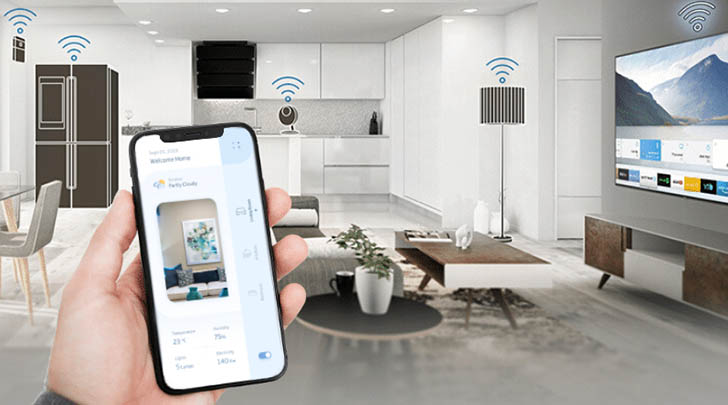
Modern thermostats can be part of a larger smart home ecosystem, allowing for more advanced automation and energy management. By connecting your thermostat to platforms like Google Home, Amazon Alexa, or Apple HomeKit, you can create routines that coordinate with lighting, security, and occupancy sensors.
For landlords and property managers, integrating smart technology can also enhance property value and tenant appeal. If you’re exploring smart upgrades for rental units, you may find this comprehensive overview of smart technology for rental properties helpful for understanding the broader benefits and considerations.
Common Challenges and Troubleshooting Tips
While automating thermostat schedules is straightforward with modern devices, some challenges can arise:
- Wi-Fi Connectivity Issues: Ensure your thermostat is within range of a reliable network for consistent performance.
- Compatibility Problems: Double-check that your HVAC system supports the chosen smart thermostat model.
- Incorrect Scheduling: Review your programmed routines periodically to avoid overlapping or conflicting settings.
- Guest or Tenant Overrides: For rental properties, use lockout features or limit manual adjustments to maintain efficiency.
If you’re managing properties in smaller communities, resources like the airbnb zoning for small towns guide can provide additional context on balancing automation with local requirements.
FAQ: Automating Thermostat Schedules for Better Efficiency
What are the main benefits of using automated thermostat schedules?
The primary advantages include reduced energy bills, improved comfort, and the convenience of not having to adjust settings manually. Automated routines help ensure your home or rental property is only heated or cooled when necessary, which can also extend the lifespan of your HVAC system.
Can I automate thermostat schedules if I have an older heating or cooling system?
Many modern smart thermostats are compatible with a wide range of HVAC systems, but it’s important to check compatibility before purchasing. Some older systems may require additional adapters or professional installation.
How often should I update my thermostat schedules?
It’s best to review and adjust your schedules at least seasonally, or whenever your occupancy patterns change. For rental properties, update routines based on guest feedback or changes in booking trends.
Are there privacy concerns with smart thermostats?
Most reputable brands prioritize data security, but it’s wise to review privacy settings and use strong passwords. If you’re managing a rental, inform guests about any smart devices in use.
Conclusion
Setting up automated thermostat routines is a practical way to boost energy efficiency and comfort in any property. By choosing the right device, programming thoughtful schedules, and integrating with broader smart home systems, you can enjoy lower bills and a more convenient lifestyle. For those managing rentals, automation also supports regulatory compliance and enhances guest experiences. Explore smart technology options and keep refining your approach for the best results.