

Efficient property management relies on timely communication, especially when it comes to preparing short-term rentals (STRs) for incoming guests. Ensuring that cleaning staff receive prompt, accurate notifications can make the difference between a seamless turnover and a missed booking opportunity. For hosts, property managers, and cleaning teams, understanding how to schedule cleaning notifications is essential for maintaining high standards and positive guest experiences.
This article explores practical methods and tools for automating cleaning alerts, integrating smart home technology, and optimizing workflows for STR operations. Whether you manage a single property or a portfolio of rentals, these strategies will help you streamline your cleaning schedules and reduce manual coordination.
If you’re also navigating local regulations or expanding your rental business, you may find the airbnb zoning strategy for investors guide helpful for understanding compliance and growth opportunities.
Why Automated Cleaning Alerts Matter in Short-Term Rentals
In the fast-paced world of vacation rentals, turnovers often happen within hours. Manual reminders or group chats can lead to missed messages, confusion, or double bookings. By leveraging automated systems for cleaning notifications, property managers can:
- Reduce errors caused by miscommunication or forgotten tasks
- Save time by eliminating repetitive manual outreach
- Increase accountability with clear, trackable notifications
- Enhance guest satisfaction through consistently clean and ready properties
Automation also supports scalability. As your portfolio grows, maintaining a manual cleaning schedule becomes unsustainable. Automated alerts ensure every property receives the attention it needs, regardless of volume.
Choosing the Right Tools for Scheduling Cleaning Notifications
There are several approaches to setting up cleaning alerts for STR staff, ranging from simple calendar reminders to advanced property management software (PMS) integrations. The best choice depends on your property count, team size, and desired level of automation.
1. Calendar-Based Scheduling
For hosts managing a small number of rentals, shared calendars (like Google Calendar or Outlook) can be a straightforward solution. By creating recurring events or linking booking calendars, you can set up automatic reminders for cleaning tasks. However, this approach may lack advanced features such as task tracking or staff assignment.
2. Property Management Systems (PMS)
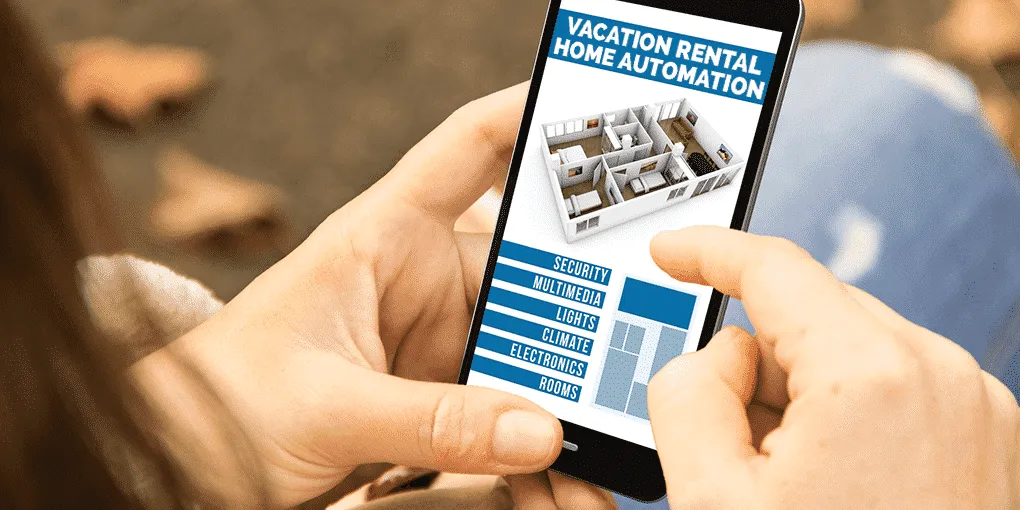
Many PMS platforms offer built-in cleaning scheduling modules. These systems can automatically generate cleaning tasks based on check-out and check-in times, assign them to specific staff, and send notifications via email, SMS, or app alerts. Some leading PMS solutions even allow cleaners to confirm task completion in real-time, providing full visibility for managers.
3. Dedicated Cleaning Apps
Standalone cleaning management apps are designed specifically for STR operations. They often include features like customizable checklists, photo uploads, and two-way communication between managers and cleaners. These apps can integrate with booking platforms to trigger notifications as soon as a reservation is made or modified.
Integrating Smart Home Technology for Enhanced Notifications
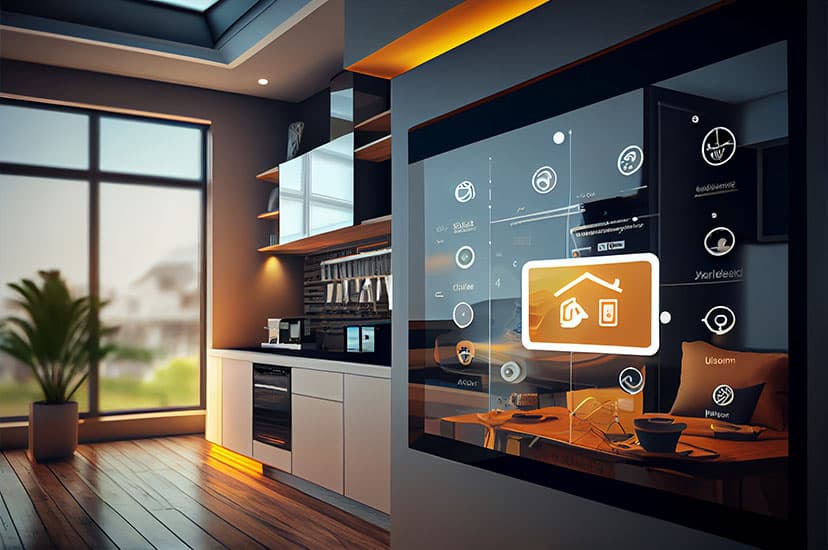
Smart home devices can further streamline the process of alerting cleaning staff. For example, smart locks can notify cleaners when a guest checks out, while smart thermostats and sensors can help monitor when a property is vacant and ready for cleaning.
By connecting these devices to your PMS or cleaning app, you can automate even more of the workflow. For instance, a smart doorbell can provide visual confirmation of a cleaner’s arrival, while environmental sensors can alert staff to issues like lingering odors or high humidity that may require extra attention.
For a deeper look at how automation is transforming the rental industry, see this overview of home automation in rentals.
Best Practices for Setting Up Cleaning Alerts
To maximize the benefits of automated notifications, consider these best practices:
- Sync with booking platforms: Ensure your notification system pulls real-time data from Airbnb, Vrbo, or your direct booking site to avoid missed turnovers.
- Customize notification timing: Send alerts at optimal times—immediately after check-out, or a set number of hours before the next check-in.
- Include detailed instructions: Attach checklists, photos, or notes to each notification so cleaners know exactly what’s expected.
- Enable feedback loops: Allow staff to confirm completion, report issues, or request supplies directly through the notification platform.
- Regularly review and update: Periodically audit your notification templates and workflows to ensure they remain effective as your business evolves.
Overcoming Common Challenges with Cleaning Notification Systems
Even with the best tools, property managers may encounter obstacles when implementing automated cleaning alerts. Some typical issues include:
- Staff adoption: Not all cleaners are comfortable with new apps or technology. Provide training and choose user-friendly platforms to ease the transition.
- Notification overload: Too many alerts can cause staff to ignore important messages. Fine-tune your settings to avoid unnecessary notifications.
- Integration gaps: Ensure your chosen system integrates smoothly with your booking and smart home platforms to prevent data silos.
- Data privacy: Protect staff and guest information by using secure, reputable software providers.
Addressing these challenges early can help you build a reliable, scalable cleaning notification workflow.
Expanding Your STR Operations with Efficient Cleaning Workflows
As your rental business grows, the ability to automate and optimize cleaning notifications becomes even more critical. Efficient workflows free up your time, reduce stress, and allow you to focus on guest experience and business development.
For those operating in suburban or small-town markets, understanding local regulations is also key. Explore resources like airbnb zoning for suburban areas and the airbnb zoning for small towns guide for more on compliance and best practices.
FAQ: Scheduling Cleaning Alerts for STR Teams
What is the best way to notify cleaning staff of upcoming turnovers?
The most effective method is to use a property management system or dedicated cleaning app that integrates with your booking calendar. This ensures notifications are sent automatically based on real-time reservation data, reducing manual coordination and errors.
Can smart home devices help with cleaning notifications?
Yes, smart locks, thermostats, and sensors can trigger alerts when a property becomes vacant or when a guest checks out. These devices can be connected to your notification system to further automate the cleaning process and provide real-time updates.
How do I ensure my cleaning staff actually receive and act on notifications?
Choose a notification platform that supports multiple channels (SMS, email, app alerts) and allows staff to confirm receipt or completion. Providing training and clear instructions will also help increase adoption and reliability.
What should I include in a cleaning notification?
Each alert should specify the property address, turnover date and time, any special instructions, and a checklist of required tasks. Attaching photos or notes can further clarify expectations for the cleaning team.
Conclusion
Mastering how to schedule cleaning notifications is a cornerstone of successful short-term rental management. By leveraging automation, integrating smart home technology, and following best practices, you can ensure your properties are always guest-ready while saving time and reducing stress for everyone involved.