

Managing smart devices in rental properties from afar is no longer a futuristic concept—it’s a practical necessity for property owners, managers, and even tenants. With the right setup, you can monitor, adjust, and secure a rental home without being physically present. This guide explores how to control home automation remotely, focusing on best practices, essential devices, and the benefits of remote access for short-term and long-term rentals alike.
Whether you’re a landlord seeking to streamline operations or a tenant wanting extra convenience, understanding the essentials of remote smart home management can save time, reduce costs, and improve security. If you’re new to this topic, you might want to start by learning what is home automation for rentals to get a foundational overview.

Why Remote Smart Home Management Matters for Rentals
The ability to oversee and operate smart devices from anywhere is transforming the rental industry. Remote access means you can grant or revoke entry, adjust climate controls, monitor energy usage, and respond to emergencies—no matter where you are. This not only enhances convenience but also adds a layer of security and efficiency for both property owners and tenants.
For a deeper dive into the benefits of home automation for STR, you’ll discover how these systems can boost guest satisfaction, reduce operational headaches, and even increase property value.
Key Components for Remote Home Automation Control
To effectively manage a rental property from a distance, certain smart devices and platforms are essential. Here are the main components to consider:
- Smart Locks: Enable remote keyless entry, temporary access codes, and real-time monitoring of door activity.
- Thermostats: Adjust heating and cooling schedules from your phone or computer, optimizing comfort and energy use.
- Security Cameras: Monitor entrances and common areas, receive alerts, and review footage remotely.
- Lighting Controls: Set schedules, dim lights, or turn them on/off from anywhere to enhance security and save energy.
- Leak and Smoke Detectors: Get instant notifications if there’s a water leak or smoke detected, allowing for quick response.
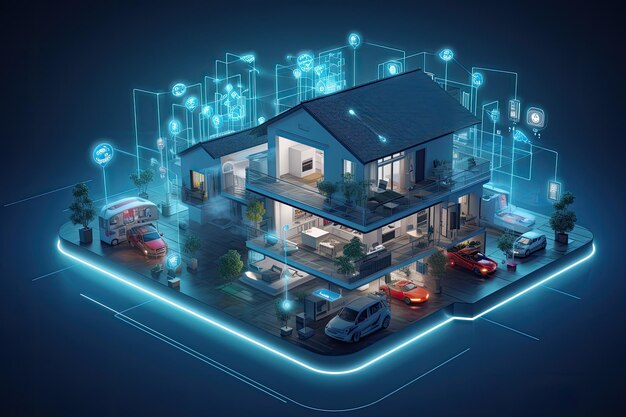
Many of these devices can be managed through a central hub or app, making it simple to oversee multiple properties or units.
Setting Up Remote Access: Platforms and Connectivity
The foundation of how to control home automation remotely lies in reliable connectivity and compatible platforms. Most modern smart devices connect via Wi-Fi, Zigbee, or Z-Wave, and are managed through cloud-based apps or web portals.
Popular platforms include Google Home, Amazon Alexa, and Apple HomeKit. These ecosystems allow you to integrate various devices, set routines, and control everything from a single interface. For rental properties, it’s crucial to choose devices that support remote administration and offer robust security features.
Best Practices for Managing Smart Devices from Afar
Ensuring seamless remote operation of smart home systems in rentals involves more than just installing devices. Here are some best practices to follow:
- Centralized Management: Use a single app or dashboard to control all devices, reducing complexity and potential errors.
- Regular Updates: Keep device firmware and apps up to date to maintain security and access to new features.
- Guest Access Controls: Set up temporary codes or permissions for guests, cleaners, or maintenance staff, and revoke them after use.
- Monitor Alerts: Enable notifications for unusual activity, such as doors left unlocked or unexpected motion detected.
- Backup Connectivity: Consider cellular backup or battery-powered devices for critical systems in case of Wi-Fi outages.
For more details on integrating these systems, see how home automation works in rentals, which explains the technical aspects and setup process.
Choosing the Right Devices for Remote Control
Not all smart home products are created equal, especially when it comes to remote management. When selecting devices for a rental, prioritize:
- Remote Configuration: Devices must allow changes and monitoring from outside the property.
- User Management: Look for systems that support multiple users and easy permission changes.
- Integration: Choose products that work together within a single platform for streamlined control.
- Reliability: Opt for brands with a strong reputation for uptime and support.
For a curated list, check out smart home devices for short-term rentals to find products that are well-suited for remote oversight.
Security and Privacy Considerations
Managing smart devices from a distance introduces new security and privacy challenges. Protecting both your property and your guests’ information is critical. Here are some tips:
- Strong Passwords: Use unique, complex passwords for device accounts and Wi-Fi networks.
- Two-Factor Authentication: Enable this feature wherever possible to prevent unauthorized access.
- Regular Audits: Periodically review device access logs and user permissions.
- Transparency: Inform tenants or guests about the presence and purpose of smart devices, especially cameras and sensors.
For further insights into the evolving landscape of smart rentals, the article Rent the Future: Smart Home Rental with Automated Lighting and Smart Appliances discusses trends and best practices in the industry.
Tips for a Smooth Remote Automation Experience
To maximize the benefits of remote smart home management in rentals, keep these practical tips in mind:
- Test Before Guests Arrive: Regularly check device functionality and connectivity to avoid surprises.
- Document Procedures: Create clear instructions for guests on how to use smart features, and provide troubleshooting steps.
- Automate Where Possible: Use routines and schedules for lighting, climate, and security to minimize manual intervention.
- Stay Informed: Keep up with updates in smart home technology and adapt your setup as needed.
If you’re interested in exploring the range of systems available, types of home automation systems offers an overview of the most popular solutions for rental properties.
FAQ: Remote Home Automation for Rentals
What are the main advantages of managing rental smart devices remotely?
Remote management allows property owners and managers to control access, monitor security, adjust climate, and respond to issues without being onsite. This leads to improved efficiency, enhanced guest experiences, and reduced operational costs.
How secure is remote access to smart home devices in rentals?
Security depends on the devices and practices you use. Choose reputable brands, enable two-factor authentication, use strong passwords, and regularly update firmware. Always inform guests about monitoring devices and respect privacy regulations.
Can tenants or guests use smart home features without compromising security?
Yes. Most modern systems allow for temporary access codes and user profiles, so guests can use features like smart locks or thermostats without accessing sensitive settings. Always reset access between stays to maintain security.