

Delivering a seamless and memorable experience for short-term rental (STR) guests starts well before they step through the door. One of the most effective ways to set the right tone is by sending a personalized welcome message as soon as a booking is confirmed or just before arrival. Automating this process not only saves time for hosts but also ensures every guest receives a consistent, professional greeting. In this guide, we’ll explore practical steps and tools for automating welcome communications, discuss best practices, and highlight how this approach can enhance guest satisfaction and streamline your hosting workflow.
If you’re interested in optimizing other aspects of your rental property, such as energy use or remote management, you may also find value in learning about home automation and energy efficiency for STRs.
Why Automate Guest Welcome Messages?
Automating guest greetings is more than just a time-saver. It helps hosts deliver a high-quality, consistent experience that can boost reviews, reduce misunderstandings, and set clear expectations from the start. With automation, you can:
- Save time by eliminating repetitive manual messaging tasks.
- Ensure consistency in tone, information, and branding.
- Improve guest satisfaction by providing timely, accurate information.
- Reduce errors that can occur with manual communication.
As short-term rental operations grow, the need for automation becomes even more apparent. Whether you manage a single property or several, automating welcome messages is a foundational step toward professionalizing your rental business.
Key Steps to Setting Up Automated Greetings
Implementing an automated welcome system involves a few essential steps. Here’s a breakdown to help you get started:
1. Choose the Right Platform or Tool
Most STR hosts use booking platforms like Airbnb, Vrbo, or direct booking websites. Each offers different options for automating messages:
- Airbnb: Allows hosts to set up scheduled messages that are sent automatically based on triggers such as booking confirmation or check-in time.
- Property management systems (PMS): Tools like Guesty, Hostfully, and Lodgify provide advanced automation features, including message templates, scheduling, and integration with multiple booking channels.
- Channel managers: These solutions help synchronize calendars and automate communications across platforms.
Evaluate your current setup and select a tool that integrates smoothly with your workflow. If you’re managing multiple properties or platforms, a dedicated PMS is often the most efficient choice.
2. Craft a Personalized and Informative Message
The content of your automated greeting should be warm, concise, and packed with the details guests need for a smooth arrival. Consider including:
- A personalized greeting using the guest’s name.
- Check-in instructions and property access details.
- Wi-Fi information and house rules.
- Emergency contact numbers.
- Local recommendations or a welcome guide link.
Many automation tools allow you to use dynamic fields (like guest name or check-in date) to personalize each message. This small touch can make a big difference in how guests perceive your hospitality.
3. Set Up Triggers and Scheduling
Decide when your automated welcome should be sent. Common triggers include:
- Immediately after booking confirmation
- 24–48 hours before check-in
- On the morning of arrival
Scheduling messages ensures guests receive information at the most helpful time. For example, sending check-in instructions the day before arrival reduces confusion and last-minute questions.
Best Practices for Automated Guest Communication
While automation brings efficiency, it’s important to maintain a human touch. Here are some tips to keep your communications effective and guest-friendly:
- Review templates regularly: Update your messages to reflect changes in house rules, amenities, or local recommendations.
- Keep it friendly: Use a warm, welcoming tone even in automated texts.
- Test your setup: Send test messages to yourself to ensure accuracy and clarity.
- Include a contact option: Let guests know how to reach you if they have questions or issues.
For hosts who want to take automation further, consider integrating smart devices. For example, you can automate temperature settings for guest comfort. Learn more about how to schedule thermostat for STR properties for an even smoother guest experience.
Integrating Automation with Other Smart Rental Solutions
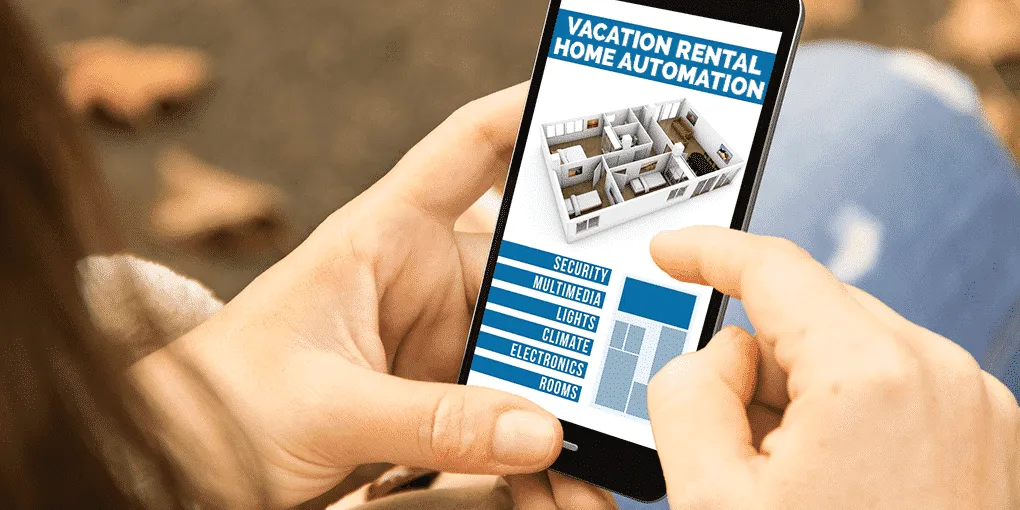
Automating guest greetings is just one piece of a broader smart rental strategy. Many hosts are also exploring ways to automate lighting, climate control, and security. These technologies can work together to create a seamless guest experience and reduce operational headaches.
For example, pairing automated messages with smart locks allows you to send unique access codes to each guest, improving both convenience and security. You can also automate lighting schedules to ensure the property is welcoming upon arrival. If you want to learn more about how to schedule lights for STR properties, there are practical guides available.
For a full overview of automating your rental property, including tips on integrating devices and systems, check out this comprehensive guide to automating rental properties.
Common Challenges and How to Overcome Them
While automating guest communication is straightforward with the right tools, some hosts encounter challenges such as:
- Platform limitations: Not all booking sites offer robust automation. Consider using a PMS or third-party tool if you need more flexibility.
- Message deliverability: Automated emails may end up in spam folders. Use SMS or in-app messaging for important information.
- Personalization: Overly generic messages can feel impersonal. Use dynamic fields and update your templates regularly to keep them relevant.
By staying proactive and regularly reviewing your automation setup, you can ensure guests always receive timely and helpful information.
FAQ: Automating Welcome Communications for STRs
What Should Be Included in an Automated Welcome Message?
A well-crafted automated greeting should include a warm introduction, check-in instructions, Wi-Fi details, house rules, emergency contacts, and any local tips or recommendations. Personalizing the message with the guest’s name and specific booking details can make it feel more genuine.
Can I Automate Messages Across Multiple Booking Platforms?
Yes, many property management systems and channel managers allow you to automate communications across Airbnb, Vrbo, Booking.com, and direct booking sites. These tools help centralize your messaging and maintain consistency, regardless of where the booking originates.
How Often Should I Update My Automated Message Templates?
It’s best to review and update your templates at least every few months, or whenever there are changes to your property, house rules, or local recommendations. Regular updates ensure guests always receive accurate and up-to-date information.