
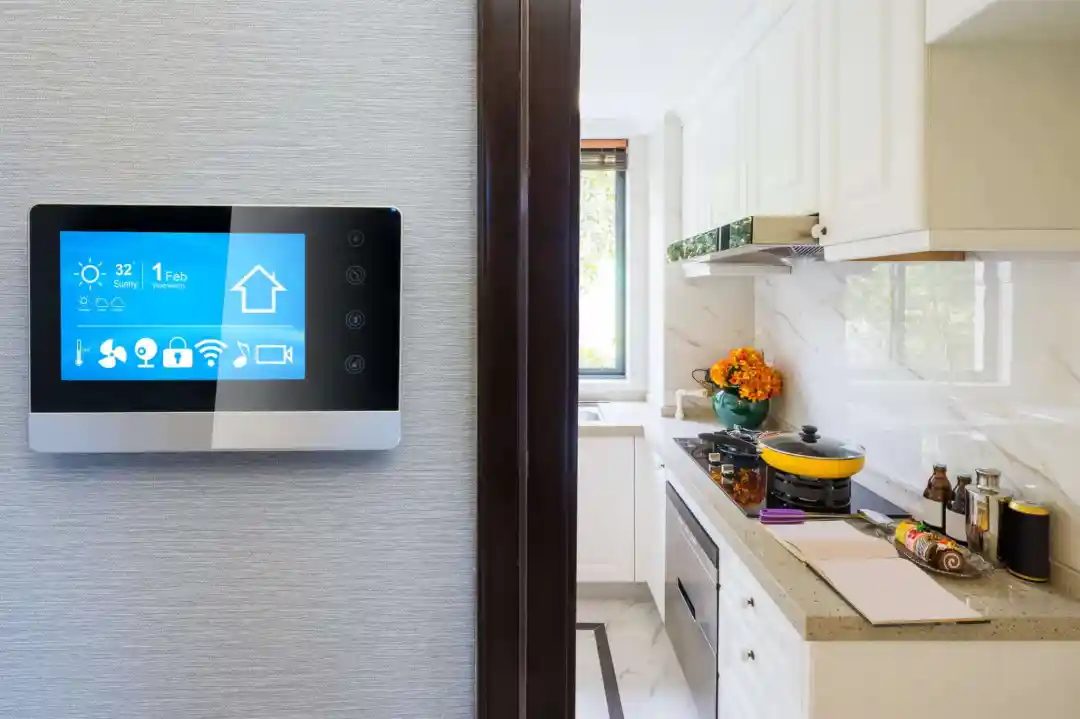

As technology continues to evolve, property owners and managers are discovering new ways to simplify operations and improve the rental experience. One of the most impactful advancements is the ability to control appliances remotely in rental properties. This approach not only streamlines property management but also enhances security, saves energy, and delivers a modern living experience for tenants.
Whether you manage a single unit or a portfolio of short-term rentals, integrating smart home solutions can help you monitor and manage devices from anywhere. In this guide, we’ll explore practical steps and strategies for setting up remote appliance control, the benefits it brings, and the best tools to get started. If you’re interested in expanding automation beyond appliances, you might also find value in learning about how to automate check-in for short-term rentals.
Why Remote Appliance Management Matters for Rentals
The ability to manage devices from afar is more than just a convenience—it’s a smart investment. Here are some key reasons why property owners are adopting remote appliance control:
- Energy Efficiency: Smart thermostats and connected appliances allow you to optimize energy use, reducing utility costs and environmental impact.
- Security: Remotely controlling devices like door locks and cameras helps protect your property and tenants.
- Maintenance: Early alerts from smart appliances can help you address issues before they become costly repairs.
- Tenant Satisfaction: Modern amenities make your property more attractive to renters, especially those seeking convenience and tech-forward features.
For those interested in boosting security, consider reviewing home automation for security to see how integrated systems can further protect your investment.
Getting Started: Essential Devices for Remote Control
To successfully manage appliances from a distance, you’ll need to select the right combination of smart devices and platforms. Here’s a breakdown of the most common options:
- Smart Thermostats: Devices like the Google Nest Thermostat allow you to adjust heating and cooling remotely, set schedules, and monitor energy usage. For a step-by-step guide, see automating thermostat for rentals.
- Smart Plugs and Switches: These affordable gadgets let you turn appliances on or off from your phone or set automated routines.
- Connected Kitchen Appliances: Many modern ovens, refrigerators, and dishwashers offer Wi-Fi connectivity for remote monitoring and control.
- Smart Locks and Doorbells: Enhance access control and monitor entry points. Learn more about how smart locks work in STRs for best practices.
- Lighting Automation: Remotely control lights to improve security and energy efficiency. For more details, check out automating lights in STR.
Setting Up Remote Access: Step-by-Step Guide
Implementing a system to manage appliances remotely involves a few key steps. Here’s a straightforward process to get you started:
- Evaluate Your Needs: List the appliances and devices you want to control. Consider which features (e.g., scheduling, monitoring, alerts) are most important for your property.
- Choose a Smart Home Platform: Popular options include Google Home, Amazon Alexa, and Apple HomeKit. These platforms allow you to connect and manage multiple devices from a single app.
- Install Compatible Devices: Replace standard appliances or outlets with smart versions. Follow manufacturer instructions for installation and setup.
- Connect Devices to Wi-Fi: Ensure your rental has reliable internet access. Most smart devices require a stable connection to function properly.
- Configure Remote Access: Use the platform’s app to set up remote control, create routines, and enable notifications for maintenance or security alerts.
- Educate Tenants: Provide clear instructions for tenants on how to use or interact with smart appliances, including privacy considerations and troubleshooting tips.
For more in-depth advice on integrating smart technology, you can refer to this comprehensive guide to smart home solutions for rental property owners.
Best Practices for Managing Devices from Afar
To maximize the benefits of remote appliance management, consider these best practices:
- Regularly Update Firmware: Keep all devices updated to ensure security and access to the latest features.
- Monitor Usage: Use analytics and reporting tools to track energy consumption and identify unusual patterns that may indicate issues.
- Automate Routines: Set schedules for heating, cooling, and lighting to optimize comfort and efficiency, especially between guest stays.
- Establish Access Protocols: Limit who can control appliances and set up guest access when needed, then revoke permissions after checkout.
- Prioritize Security: Use strong, unique passwords for all accounts and enable two-factor authentication where possible.
Common Challenges and How to Overcome Them
While the advantages of remote appliance management are clear, there are a few challenges to be aware of:
- Connectivity Issues: Unreliable Wi-Fi can disrupt device communication. Invest in a quality router and consider backup internet options.
- Compatibility: Not all appliances are compatible with every smart home platform. Check compatibility lists before purchasing new devices.
- Privacy Concerns: Tenants may have questions about data collection. Be transparent about what devices are installed and how data is used.
- Maintenance: Smart devices require occasional updates and troubleshooting. Schedule regular checks to ensure everything operates smoothly.
Addressing these challenges proactively will help you deliver a seamless experience for both you and your tenants.
FAQ: Remote Appliance Control in Rental Properties
What types of appliances can be managed remotely in a rental?
Most modern devices, including thermostats, lights, locks, cameras, and even some kitchen appliances, can be controlled from a distance if they are compatible with a smart home platform. Smart plugs can also make traditional appliances accessible remotely.
Is it safe to allow tenants to use smart home features?
Yes, as long as you follow security best practices such as using strong passwords, updating firmware, and setting up guest access controls. Always inform tenants about which devices are in use and how their data is handled.
How do I handle remote access between guest stays?
Most smart home platforms allow you to grant and revoke access easily. Set up temporary permissions for guests, and reset codes or access rights after each stay to maintain security.
Can remote appliance control help reduce costs?
Absolutely. By automating heating, cooling, and lighting, you can significantly cut down on energy waste, especially during vacancies or between guest stays.
Conclusion
Embracing the ability to control appliances remotely in your rental properties offers clear benefits: improved efficiency, enhanced security, and a better experience for tenants. By choosing the right devices, setting up reliable systems, and following best practices, you can modernize your rental operations and stand out in a competitive market.
For further reading on smart home automation and related topics, explore resources like automating lights in STR and home automation for security. These guides provide additional insights to help you make the most of your rental property technology.