
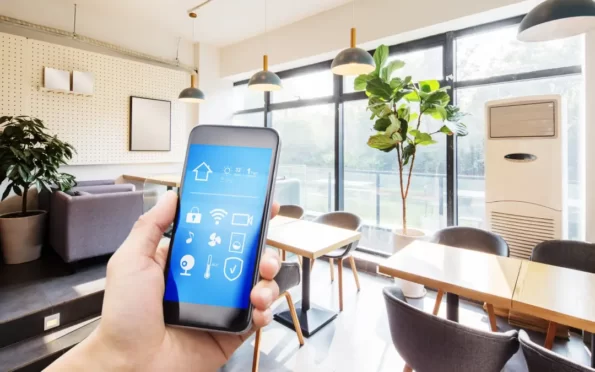

Creating a seamless guest experience in short-term rental properties goes beyond clean linens and prompt communication. One often-overlooked detail is lighting. Setting up automated lighting schedules can improve security, boost energy efficiency, and make guests feel more at home. If you’re wondering how to schedule lights for STR properties, this guide will walk you through the practical steps, tools, and best practices to get started.
Whether you manage a single vacation home or multiple listings, automating your lighting can save time and prevent issues like lights being left on after check-out. It also adds a professional touch that guests notice, especially when arriving late or navigating unfamiliar spaces. Before diving into the technical details, it’s helpful to understand how lighting automation fits into the broader ecosystem of smart rental management. For a deeper look at related upgrades, check out our article on automating lights in STR.
Why Automate and Schedule Lighting in Your Rental
Automated lighting isn’t just about convenience. For property owners and managers, it offers several tangible benefits:
- Security: Scheduled lights can deter intruders by making the property appear occupied, even when vacant.
- Energy Savings: Lights turn off automatically when not needed, reducing utility costs.
- Guest Comfort: Arriving to a well-lit entryway or having lights gradually dim at night enhances the guest experience.
- Operational Efficiency: No more manual checks to ensure lights are off after check-out.
Integrating lighting schedules with other smart home features, such as automating thermostat for rentals or home automation for security, can further streamline your operations.
Choosing the Right Smart Lighting System
The first step in setting up scheduled lighting is selecting the right hardware and platform. Here are the main options to consider:
- Smart Bulbs: These replace standard bulbs and connect directly to Wi-Fi or a hub. They’re easy to install and ideal for lamps or fixtures without wall switches.
- Smart Switches: Installed in place of traditional wall switches, these allow you to control existing light fixtures remotely or on a schedule.
- Smart Plugs: Plug-in adapters that make any lamp or device “smart.” These are a quick solution for table or floor lamps.
Popular brands like Philips Hue, LIFX, and TP-Link offer reliable options. Consider compatibility with your preferred smart home ecosystem (Google Home, Amazon Alexa, or Apple HomeKit) and ensure the devices support scheduling features.
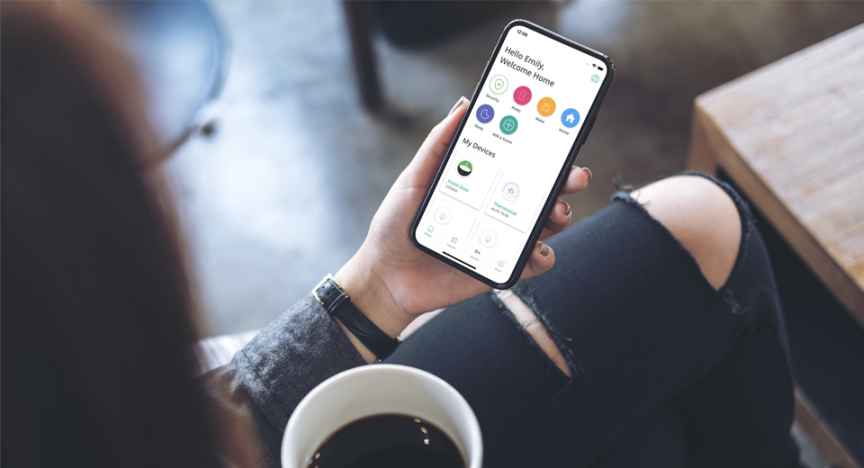
Setting Up Lighting Schedules for Short-Term Rentals
Once you’ve chosen your devices, it’s time to program your lighting routines. The process will vary slightly depending on the platform, but the core steps remain similar:
- Install and Connect Devices: Follow the manufacturer’s instructions to set up your smart bulbs, switches, or plugs. Connect them to your Wi-Fi network or smart home hub.
- Download the App: Use the brand’s app or your preferred smart home platform (such as Google Home or Alexa) to manage your devices.
- Create Schedules: Most apps allow you to set specific times for lights to turn on or off. For example, you might schedule porch lights to turn on at sunset and off at midnight.
- Test and Adjust: Run through your schedule to ensure everything works as intended. Adjust times based on guest feedback or seasonal changes in daylight.
For more advanced setups, consider integrating occupancy sensors or geofencing, so lights respond to guest presence. If you’re interested in broader automation, our resource on how to automate check-in covers additional smart home integrations.
Best Practices for Automated Lighting in STRs
To maximize the benefits of your lighting schedules, keep these tips in mind:
- Keep It Simple: Avoid overly complex routines that may confuse guests. Stick to basic schedules for common areas, entryways, and exterior lighting.
- Communicate Clearly: Let guests know which lights are automated. Include a note in your welcome guide or listing description.
- Prioritize Security: Use randomization features if available, so lights don’t follow the exact same pattern every night. This adds an extra layer of security when the property is vacant.
- Remote Access: Choose systems that allow you to adjust schedules remotely. This is especially useful if guests check in early or late.
- Energy Efficiency: Pair lighting schedules with other smart devices, like thermostats or sensors, for greater energy savings.
For a more in-depth look at security-focused automation, see our article on home automation for security.
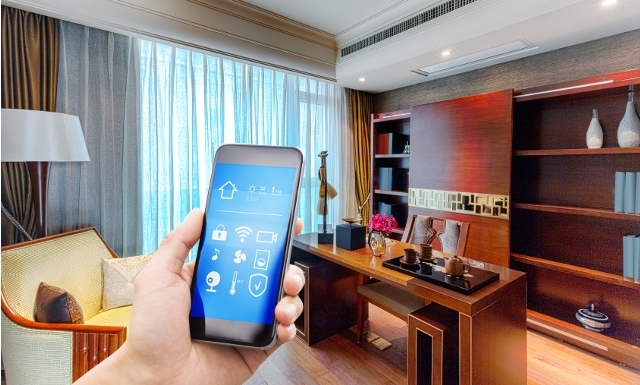
Integrating Lighting Schedules with Other Smart Devices
Scheduling lights is just one aspect of a fully automated rental. Many property managers pair lighting with other smart home features for a more cohesive experience. For example, linking your lighting routines with smart thermostats can ensure the property is comfortable and energy-efficient upon guest arrival.
Devices like the Google Nest Thermostat and smart doorbells can be managed from the same app as your lighting, allowing you to control multiple aspects of your property from anywhere. This integration not only saves time but also creates a more welcoming and secure environment for guests.
For a comprehensive overview of smart home solutions for rentals, you might explore Rently’s smart home platform for rentals, which offers centralized control and scheduling for lights, locks, and more.
Common Challenges and How to Overcome Them
While automating lighting in short-term rentals offers many benefits, there are a few challenges to anticipate:
- Connectivity Issues: Wi-Fi outages or weak signals can disrupt schedules. Use mesh networks or Wi-Fi extenders to ensure coverage throughout the property.
- Guest Overrides: Some guests may manually turn off automated lights. Choose systems that reset schedules automatically or provide clear instructions.
- Device Compatibility: Not all smart devices work seamlessly together. Stick to a single ecosystem when possible to minimize integration headaches.
- Privacy Concerns: Always inform guests about any automated features and avoid using cameras or sensors in private areas.
Addressing these issues proactively will help ensure your lighting automation runs smoothly and enhances, rather than detracts from, the guest experience.
FAQ: Lighting Automation for Short-Term Rentals
What’s the easiest way to set up lighting schedules in a rental property?
The simplest method is to use smart bulbs or plugs that connect directly to Wi-Fi and can be controlled via a mobile app. These devices typically allow you to set on/off times, group lights by room, and adjust settings remotely.
Can I automate lights without replacing existing fixtures?
Yes, smart plugs and smart switches let you automate lighting without changing the actual fixtures. Smart plugs are ideal for lamps, while smart switches work for ceiling lights and wall fixtures.
How do scheduled lights improve security in my rental?
Scheduled lighting makes your property look occupied, which can deter potential intruders. Some systems offer randomization features to make lighting patterns less predictable, further enhancing security.
Are there any privacy concerns with automated lighting?
Automated lighting itself doesn’t pose privacy risks, but always inform guests about any smart devices in use. Avoid installing cameras or sensors in private spaces, and be transparent about automation features in your listing.
Can I control lighting schedules remotely if guests need changes?
Most smart lighting systems allow remote adjustments via their apps. This lets you accommodate early check-ins, late arrivals, or guest preferences without needing to visit the property in person.