

The rise of short-term rentals has brought new demands for convenience, security, and efficiency. Property owners and managers are turning to smart lock technology to streamline guest access, reduce operational headaches, and enhance safety. Understanding how smart locks work in STRs is essential for anyone looking to modernize their rental property or improve the guest experience.
In this guide, you’ll learn the core principles behind smart lock systems, how they integrate with rental operations, and what benefits they offer to both hosts and guests. We’ll also cover practical considerations, security features, and how these devices fit into broader home automation strategies.
For those interested in automating their rental, our article on how to automate your rental property offers a comprehensive overview of safe and effective automation strategies.
Understanding the Technology Behind Smart Locks in Rentals
At their core, smart locks are electronic locking mechanisms that allow property owners to control access without traditional keys. Instead, entry is managed through digital codes, mobile apps, or integrations with other smart devices. This is particularly valuable in short-term rental settings, where guests change frequently and managing physical keys can be a logistical challenge.
Most smart locks used in rental homes connect to Wi-Fi or Bluetooth, enabling remote management. Hosts can generate unique access codes for each guest, set specific entry times, and revoke access instantly when a stay ends. This flexibility is a key reason why how smart locks work in STRs has become a popular topic among property managers.
Key Features That Benefit Short-Term Rental Hosts
The advantages of using smart locks in rental properties go beyond convenience. Here are some of the most important features:
- Remote Access Management: Grant or revoke entry from anywhere using a smartphone or web dashboard.
- Unique Guest Codes: Assign time-limited codes to each guest, reducing the risk of unauthorized re-entry.
- Integration with Booking Platforms: Many smart locks can sync with platforms like Airbnb, automating code generation and communication.
- Audit Trails: Track who enters and exits the property, adding an extra layer of security and accountability.
- Temporary Access for Cleaners or Maintenance: Provide limited access to service providers without handing out physical keys.
These features not only save time but also help prevent common issues such as lost keys or lockouts. For more tips on maximizing automation, see our guide on home automation tips for STR owners.
How Smart Locks Integrate with Home Automation Systems
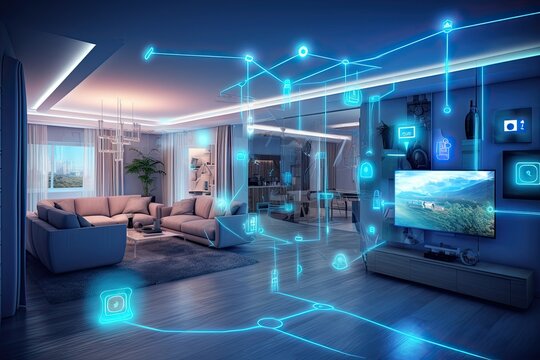
One of the strengths of modern smart locks is their ability to work seamlessly with other smart home devices. For example, a lock can be programmed to trigger lights, adjust thermostats, or send notifications when someone enters or leaves. This integration makes it easier to create a welcoming environment for guests and to monitor property status remotely.
If you’re interested in energy efficiency, check out our article on home automation energy savings to see how connected devices can help reduce utility costs in rental properties.
Many systems also support voice assistants like Google Assistant or Amazon Alexa, allowing hosts and guests to control locks with simple voice commands. This level of automation not only adds convenience but can also improve accessibility for guests with mobility challenges.
Security Considerations for Smart Lock Use in Rentals
Security is a top concern for any property owner. Smart locks offer several advantages over traditional locks, but it’s important to understand their limitations and best practices. Here are some key points to consider:
- Encryption: Most reputable smart locks use strong encryption to protect access codes and communications.
- Two-Factor Authentication: Some systems offer additional verification steps for added security.
- Physical Backup: Many smart locks include a traditional key slot or emergency battery backup in case of power or connectivity issues.
- Regular Updates: Keeping firmware up to date is essential to patch vulnerabilities and maintain security.
For a deeper dive into how technology can enhance the guest experience, see our resource on how home automation improves guest experience.
It’s also wise to inform guests about how the smart lock system works and to provide clear instructions for use. This helps avoid confusion and ensures a smooth check-in process.
Choosing and Installing the Right Smart Lock for Your Rental
Not all smart locks are created equal, and the best choice depends on your property’s needs and your preferred level of automation. Here are some factors to consider:
- Compatibility: Ensure the lock fits your existing door and integrates with your preferred smart home platform.
- Battery Life: Look for models with long-lasting batteries and low-battery alerts.
- Ease of Use: Choose a system with an intuitive interface for both hosts and guests.
- Support and Warranty: Opt for brands with reliable customer support and clear warranty policies.
Installation is often straightforward, but some models may require professional help. Always follow the manufacturer’s instructions and test the system thoroughly before your first guest arrives.
For more on managing your rental remotely, see our guide on how to control home automation remotely.
Expanding Your Smart Home Ecosystem
Smart locks are just one part of a growing ecosystem of connected devices for rental properties. By combining locks with smart thermostats, cameras, and sensors, you can create a more secure, energy-efficient, and guest-friendly environment.
For a broader perspective on integrating technology into your rental, the article how to build a smart home for rental property offers practical advice and real-world examples.
As guest expectations evolve, investing in smart technology can help your property stand out in a competitive market.
Frequently Asked Questions
Are smart locks safe for short-term rental properties?
Yes, most modern smart locks use advanced encryption and security protocols. They offer better control over access than traditional keys, especially when codes are changed between guests. Always choose reputable brands and keep software updated for maximum security.
Do guests need a smartphone to use a smart lock?
Not necessarily. Many smart locks allow entry via keypad codes, so guests don’t need to download an app or have a smartphone. However, some advanced features may require a mobile device.
What happens if the smart lock loses power or Wi-Fi connection?
Most smart locks have backup options, such as physical keys or battery packs. Some also store access codes locally, so the keypad will still function even if the internet is down. Always check the specific model’s features before installation.