


Managing temperature efficiently in rental units is a growing priority for property owners and managers. Automating thermostat for rentals not only streamlines energy use but also enhances guest comfort and reduces utility costs. With the rise of smart home technology, integrating automated climate control into rental properties has become more accessible and cost-effective than ever before.
This guide explores the practical steps, benefits, and best practices for implementing automated thermostat solutions in rental environments. Whether you manage short-term vacation rentals or long-term leases, understanding how to leverage smart thermostats can make your property more attractive and easier to manage.
For those interested in a broader approach to property automation, you may find value in reading about how to automate your rental property, which covers additional smart solutions for rental management.
Why Consider Smart Thermostat Automation for Rentals?
The adoption of automating thermostat for rentals is driven by several compelling reasons. First, automated temperature control can significantly reduce energy waste, especially in properties with frequent guest turnover or periods of vacancy. Smart thermostats allow owners to set schedules, monitor usage remotely, and ensure that heating or cooling systems are not running unnecessarily.
Additionally, automated climate control can boost guest satisfaction. Renters increasingly expect modern amenities, and the ability to adjust temperature easily—often via smartphone or voice assistant—adds a layer of convenience that can set your property apart from the competition.
Key Benefits of Automating Climate Control in Rental Units
- Energy Efficiency: Smart thermostats learn occupancy patterns and adjust settings to minimize wasted energy.
- Remote Management: Owners and managers can monitor and control temperature from anywhere, reducing the need for on-site visits.
- Cost Savings: Lower utility bills through optimized heating and cooling schedules.
- Enhanced Guest Experience: Renters enjoy personalized comfort and easy-to-use controls.
- Maintenance Alerts: Many smart thermostats notify you of system issues or unusual activity, helping to prevent costly repairs.
Choosing the Right Smart Thermostat for Your Rental
Selecting a device for automating thermostat for rentals involves considering compatibility, ease of use, and integration with other smart home systems. Popular options like the Google Nest Thermostat offer intuitive interfaces and robust remote management features. Look for models that support multiple users, allow for easy guest access, and provide detailed usage reports.
It’s also important to ensure that the chosen thermostat is compatible with your property’s existing HVAC system. Some older systems may require additional adapters or professional installation.
Steps to Set Up Automated Thermostats in Rental Properties
- Evaluate Your HVAC System: Confirm compatibility with smart thermostats. Consult your HVAC manual or a professional if unsure.
- Choose a Smart Thermostat: Select a model that fits your needs and supports remote access. Consider guest-friendly features and energy reporting.
- Install the Device: Follow the manufacturer’s instructions for installation. Many models offer DIY installation, but professional help may be needed for complex systems.
- Connect to Wi-Fi: Ensure a stable internet connection for remote control and monitoring.
- Set Up User Access: Configure access for property managers and guests. Some thermostats allow temporary codes or app-based permissions.
- Program Schedules: Set temperature schedules based on occupancy patterns. Use vacation or away modes during vacancies.
- Monitor and Adjust: Regularly review energy reports and adjust settings as needed for optimal efficiency and comfort.
Integrating Thermostats with Other Smart Home Devices
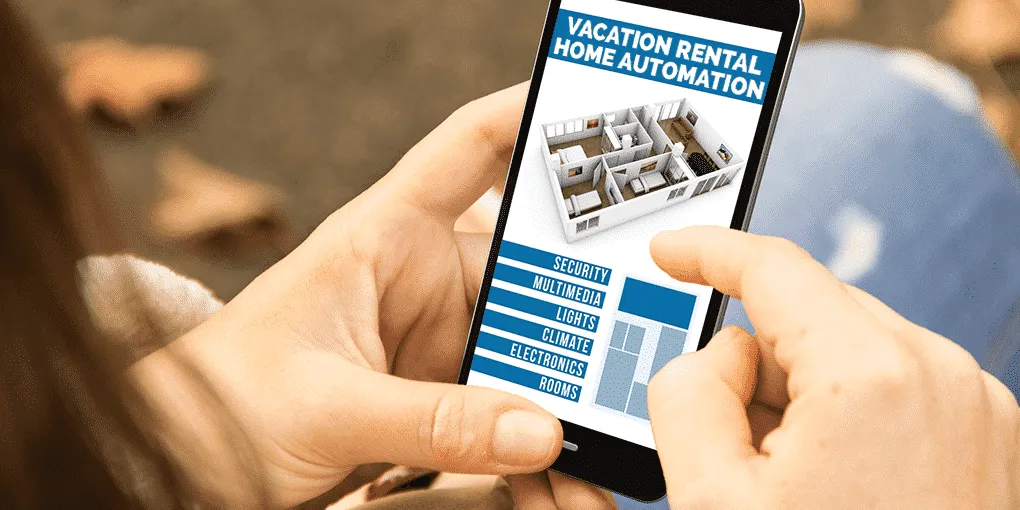
For maximum benefit, consider integrating your automated thermostat with other smart devices such as door locks, lighting, and security cameras. This creates a seamless experience for both guests and managers, allowing for centralized control and automation routines. For example, linking the thermostat with smart door locks can trigger temperature adjustments when guests check in or out.
For more guidance on maximizing automation, see these resources on home automation tips for STR owners and how home automation improves guest experience.
Best Practices for Managing Smart Thermostats in Rentals
- Regularly Update Access: Change guest access codes or permissions between stays to maintain security.
- Educate Guests: Provide simple instructions for using the thermostat, either in your welcome packet or through a printed guide in the property.
- Monitor Usage: Use the thermostat’s app to keep an eye on energy consumption and system health.
- Leverage Automation Features: Take advantage of vacation modes, geofencing, and integration with other smart devices for greater efficiency.
- Stay Informed: Keep up with updates from your thermostat manufacturer and explore new features as they become available.
For a deeper dive into how these systems can help reduce costs, see the article on home automation energy savings.
Common Challenges and How to Overcome Them
While the advantages of automating thermostat for rentals are clear, there are a few common hurdles to consider:
- Connectivity Issues: Smart thermostats require a reliable Wi-Fi connection. Ensure your property’s internet is stable and consider backup solutions for outages.
- Guest Privacy: Be transparent about any monitoring features and respect guest privacy. Avoid using cameras or sensors in private spaces.
- Technical Support: Have a plan for troubleshooting or assisting guests if they encounter issues with the thermostat.
- Compatibility: Double-check that your HVAC system supports the chosen thermostat model before purchase.
For a broader overview of smart home technology, the Wikipedia page on home automation provides a comprehensive introduction to the field.
Frequently Asked Questions
Can I install a smart thermostat in any rental property?
Most modern HVAC systems are compatible with smart thermostats, but it’s important to verify compatibility before purchasing. Some older systems may need an adapter or professional installation.
How do I manage guest access to the thermostat?
Many smart thermostats allow you to set up guest access through temporary codes or app-based permissions. Always reset or update access between guest stays to maintain security.
Will automating my rental’s thermostat save money?
Yes, automating temperature control can lead to significant energy savings by reducing unnecessary heating or cooling. Over time, this can lower utility bills and increase your property’s profitability.
Is it possible to control the thermostat remotely?
Absolutely. Most smart thermostats offer remote control via mobile apps or web dashboards, allowing you to adjust settings, monitor usage, and receive alerts from anywhere.
How can I integrate my thermostat with other smart devices?
Many smart thermostats support integration with other home automation products, such as smart locks or lighting. This allows for routines like adjusting temperature when guests check in or out. For more information, see the guide on how to control home automation remotely.