
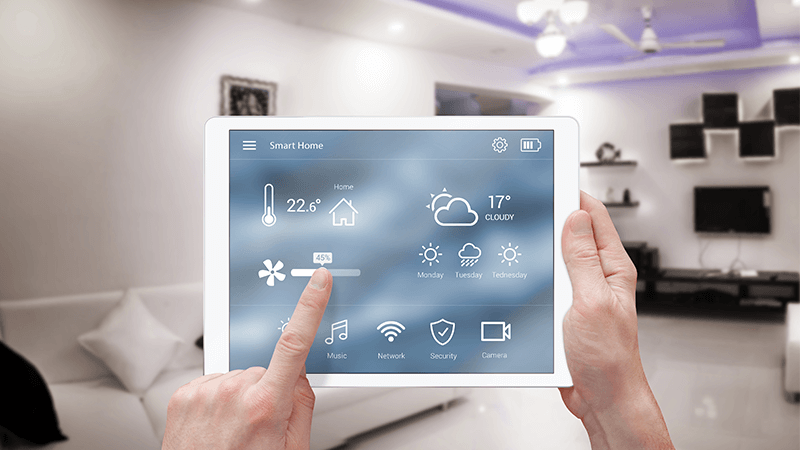

Smart home technology has rapidly changed the way property owners manage lighting, especially in short-term rentals and hospitality settings. Automating lights according to whether a space is occupied can save energy, enhance guest comfort, and streamline operations. Whether you’re a landlord, Airbnb host, or simply looking to optimize your home, understanding how to automate lighting based on occupancy is a practical step toward efficiency and convenience.
This article explores the key concepts, devices, and strategies for setting up occupancy-based lighting automation. If you’re also considering compliance and zoning for short-term rentals, you may find the airbnb zoning strategy for investors guide helpful as you plan your smart property upgrades.
Understanding Occupancy-Based Lighting Control
At its core, occupancy-based lighting automation uses sensors and smart devices to detect when people are present in a room. When occupancy is detected, lights turn on; when the space is empty, lights switch off or dim. This approach not only reduces unnecessary energy consumption but also creates a seamless experience for guests and residents.
There are several types of sensors and technologies that can be used for this purpose:
- Motion sensors: Detect movement and trigger lights accordingly.
- Door/window sensors: Monitor entry and exit to determine if a room is in use.
- Smart thermostats and cameras: Some advanced devices can infer occupancy based on temperature changes or visual cues.
- Mobile device tracking: Uses smartphones or wearables to sense when someone is nearby.
Choosing the Right Devices for Automated Lighting
Selecting the right hardware is crucial for a reliable automation setup. Here are some popular options for those interested in how to automate lighting based on occupancy:
- Smart bulbs and switches: These can be controlled remotely and integrated with occupancy sensors.
- Standalone occupancy sensors: Devices like PIR (passive infrared) or ultrasonic sensors can be installed in each room.
- Smart home hubs: Platforms such as Google Home, Amazon Alexa, or Apple HomeKit allow you to connect and manage multiple devices.
- Integrated systems: Some products combine lighting, sensors, and automation in a single package, simplifying setup.

Integrating Sensors and Smart Lighting for Guest Spaces
For short-term rental properties, integrating occupancy sensors with smart lighting can make a significant difference in both guest satisfaction and operational efficiency. Here’s a step-by-step approach:
- Install occupancy sensors in key areas such as entryways, hallways, living rooms, and bedrooms. Place sensors where they can reliably detect movement without false triggers.
- Connect sensors to smart bulbs or switches using a compatible hub or automation platform. Most systems allow you to set rules, such as turning on lights when motion is detected after sunset.
- Customize automation rules for different scenarios. For example, you might want lights to stay on for a set period after the last detected movement, or only activate certain lights at night.
- Test and adjust sensitivity to minimize false positives (e.g., pets triggering lights) and ensure reliable operation for guests.
For more insights on optimizing rental properties, consider reviewing short term rental zoning best practices to ensure your automation efforts align with local guidelines.
Benefits of Lighting Automation for Hosts and Guests
Implementing occupancy-based lighting control offers several advantages:
- Energy savings: Lights are only on when needed, reducing electricity costs.
- Enhanced guest experience: Automated lighting welcomes guests and provides convenience, especially during late check-ins or in unfamiliar spaces.
- Security: Lights can be set to simulate occupancy when the property is vacant, deterring potential intruders.
- Reduced maintenance: Less manual intervention means fewer issues for property managers and hosts.
Common Challenges and How to Overcome Them
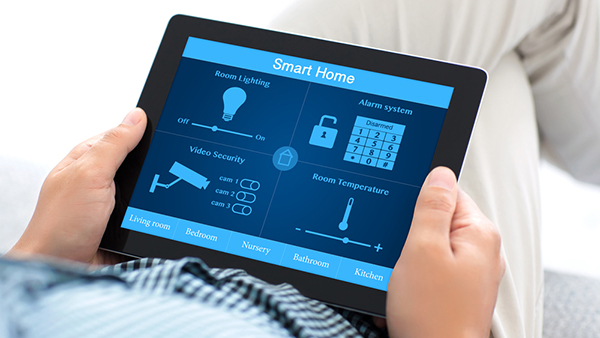
While automating lighting based on occupancy offers clear benefits, there are some challenges to consider:
- Sensor placement: Poorly placed sensors may miss movement or trigger lights unnecessarily. Test different locations for optimal coverage.
- Integration issues: Not all devices are compatible with every smart home platform. Check compatibility before purchasing.
- Privacy concerns: Some guests may be wary of cameras or advanced sensors. Use non-intrusive motion sensors in private areas and clearly communicate what technology is in use.
- False triggers: Pets or HVAC airflow can sometimes activate sensors. Adjust sensitivity and use pet-immune models where needed.
For a broader perspective on how automation is shaping the rental industry, see this overview of home automation’s impact on rentals.
Best Practices for Setting Up Occupancy-Based Lighting
To maximize the value of your smart lighting system, follow these best practices:
- Start with high-traffic areas: Focus on entryways, kitchens, and bathrooms where occupancy-based control has the most impact.
- Use schedules and scenes: Combine occupancy detection with time-based rules for even greater flexibility.
- Keep guests informed: Provide a simple guide or welcome note explaining how the automated lighting works.
- Regularly update firmware: Ensure all devices have the latest updates for security and performance.
- Monitor and adjust: Use your smart home app to review usage and tweak settings as needed.
If your property is in a suburban or small-town location, you might also want to explore airbnb zoning for suburban areas and airbnb zoning for small towns to ensure compliance as you upgrade your rental with smart features.
FAQ
What types of sensors are best for occupancy-based lighting?
The most common sensors are passive infrared (PIR) motion detectors, which are reliable for detecting movement. In larger or more complex spaces, combining PIR with ultrasonic or door sensors can improve accuracy. For smart homes, look for sensors that integrate easily with your chosen automation platform.
Can occupancy-based lighting automation work without a smart home hub?
Some smart bulbs and sensors can operate independently via Bluetooth or Wi-Fi, but a hub or central platform often provides more advanced automation options and easier management, especially for multiple devices.
How do I address guest privacy concerns with automated lighting?
Use non-intrusive motion or door sensors in private areas, and avoid installing cameras in bedrooms or bathrooms. Always inform guests about the technology in use and its purpose, and provide clear instructions for manual override if needed.
Are there any legal considerations for installing smart lighting in rentals?
Yes, always check local regulations regarding smart devices and guest privacy. For guidance, review resources like airbnb zoning legislation updates to stay compliant with the latest rules.